
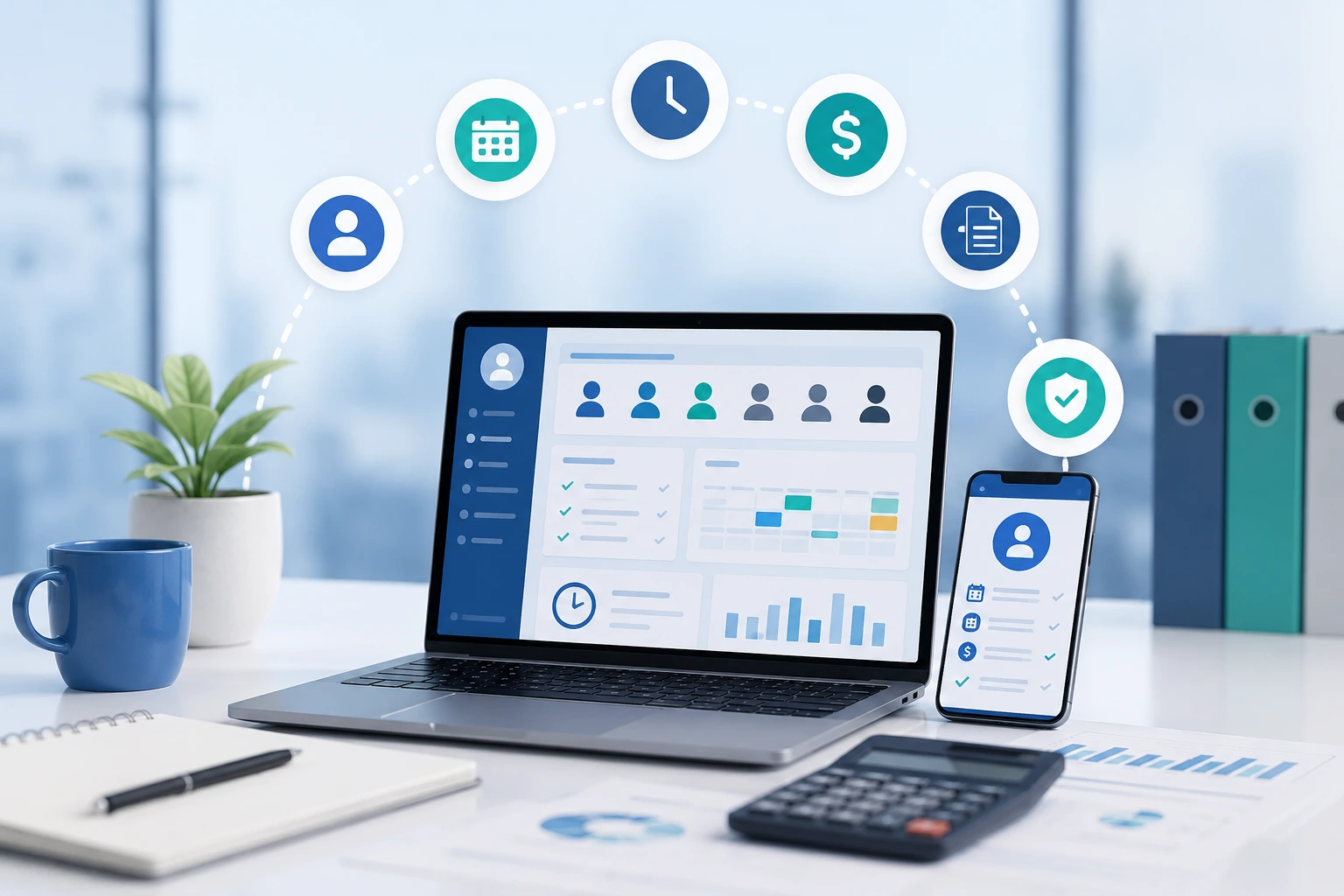
Yes, payroll software suited for NDIS providers in Australia is available. However, the most dependable solution is not always a single payroll application.
Many providers need a connected system that moves accurate data from rostering and time tracking into SCHADS Award interpretation, payroll, STP reporting, superannuation and accounting.
The right choice depends on your award coverage, workforce structure, support types, existing NDIS software and the complexity of your shifts.
Running payroll for an NDIS business can become complicated long before the organisation becomes large.
A single pay period might include casual and permanent workers, weekend penalties, evening work, broken shifts, sleepovers, kilometres, overtime, leave and last-minute roster changes. Each entry must be interpreted correctly before the pay run is finalised.
The compliance environment is also changing. From the first full pay period starting on or after 1 July 2026, modern award minimum wages increased by 4.75%. Payday Super also commenced on 1 July 2026, changing how employers calculate, pay and report superannuation with each payday. (Fair Work Ombudsman)
This guide explains what NDIS providers should expect from payroll software, which system models are available and how to select a setup that reduces manual work without creating new compliance gaps.
Important: This article provides general information, not legal, accounting or payroll advice. Award coverage and employee entitlements should be confirmed using current Fair Work information or qualified professional advice.
| Software Model | Best For | Advantages | Potential Limitations |
|---|---|---|---|
| All-in-One Payroll & Workforce Software | Small to medium NDIS providers |
✔ Payroll ✔ Rostering ✔ Time Tracking ✔ HR |
Limited participant management features. |
| NDIS Software + Payroll Integration | Growing providers |
✔ Better participant management ✔ Existing payroll retained ✔ Cleaner timesheet workflow |
Requires reliable integrations. |
| NDIS Software + Specialist SCHADS Payroll | Complex providers with shift penalties |
✔ Advanced award interpretation ✔ Better compliance ✔ Handles sleepovers & broken shifts |
Higher implementation cost. |
| Enterprise Care Platform | Large organisations |
✔ Highly scalable ✔ API integrations ✔ Enterprise reporting |
Expensive and longer deployment. |
Yes. Australian NDIS providers can choose from payroll platforms with built-in award interpretation, workforce systems combining rostering and payroll, or NDIS management platforms that transfer approved timesheets into a separate payroll engine. The best option is the one that preserves accurate data from the roster through to the final pay run.
There are three main software models.
These systems combine functions such as:
Employment Hero markets an integrated HR, payroll and rostering product for NDIS providers, while ClockOn combines rostering, attendance, HR and payroll functions. (Employment Hero)
This model can suit providers that want one workforce platform and do not require a full participant-management system inside the same product.
In this model, the NDIS platform manages service delivery activities such as:
Approved time and attendance data is then exported or synchronised with payroll.
For example, SupportAbility states that it exports staff time and attendance data to payroll systems, with the payroll platform remaining responsible for award interpretation. Brevity advertises integrations with Xero, MYOB and QuickBooks, including payroll data. (SupportAbility)
This model can work well when the provider already has an established payroll application but needs better NDIS operations and cleaner timesheet data.
A third option connects NDIS rostering with a specialist payroll or award-interpretation service.
ShiftCare and Pay Cat, for example, describe a workflow in which rosters and approved timesheets move from ShiftCare into Pay Cat for SCHADS Award interpretation and payroll processing. Visualcare also connects award-aware rostering with Pay Cat Connect. (paycat.com.au)
This structure can be useful when SCHADS payroll is too complex for a basic accounting payroll module but the provider wants to retain specialised NDIS management software.
NDIS payroll becomes complex because employee pay can depend on the worker’s classification, employment type, shift timing, work pattern, allowances and hours across the pay period. The payroll result may also rely on accurate operational data captured by rosterers, workers and managers before it reaches the payroll team.
The complexity often begins with the SCHADS Award.
The Fair Work Ombudsman’s SCHADS Award summary explains that the award covers employers and employees in sectors including social and community services and home care. However, award coverage must be assessed for the actual organisation and role. Not every person working for an NDIS provider will automatically have identical coverage or conditions. (Fair Work Ombudsman)
An enterprise agreement, another award or an award-free arrangement may apply in some cases. Software cannot make that legal determination for the employer.
Depending on the applicable instrument and working arrangement, payroll may need to process:
Fair Work guidance includes specific rules for areas such as broken shifts, sleepovers and rest periods. For example, broken-shift arrangements can involve limits on the shift span, unpaid breaks and minimum rest before the next shift. Sleepovers can involve an allowance plus separate payment for work performed. (Fair Work Ombudsman)
A payroll platform that merely multiplies total hours by one hourly rate is therefore unlikely to be sufficient for a provider with complex support-worker rosters.
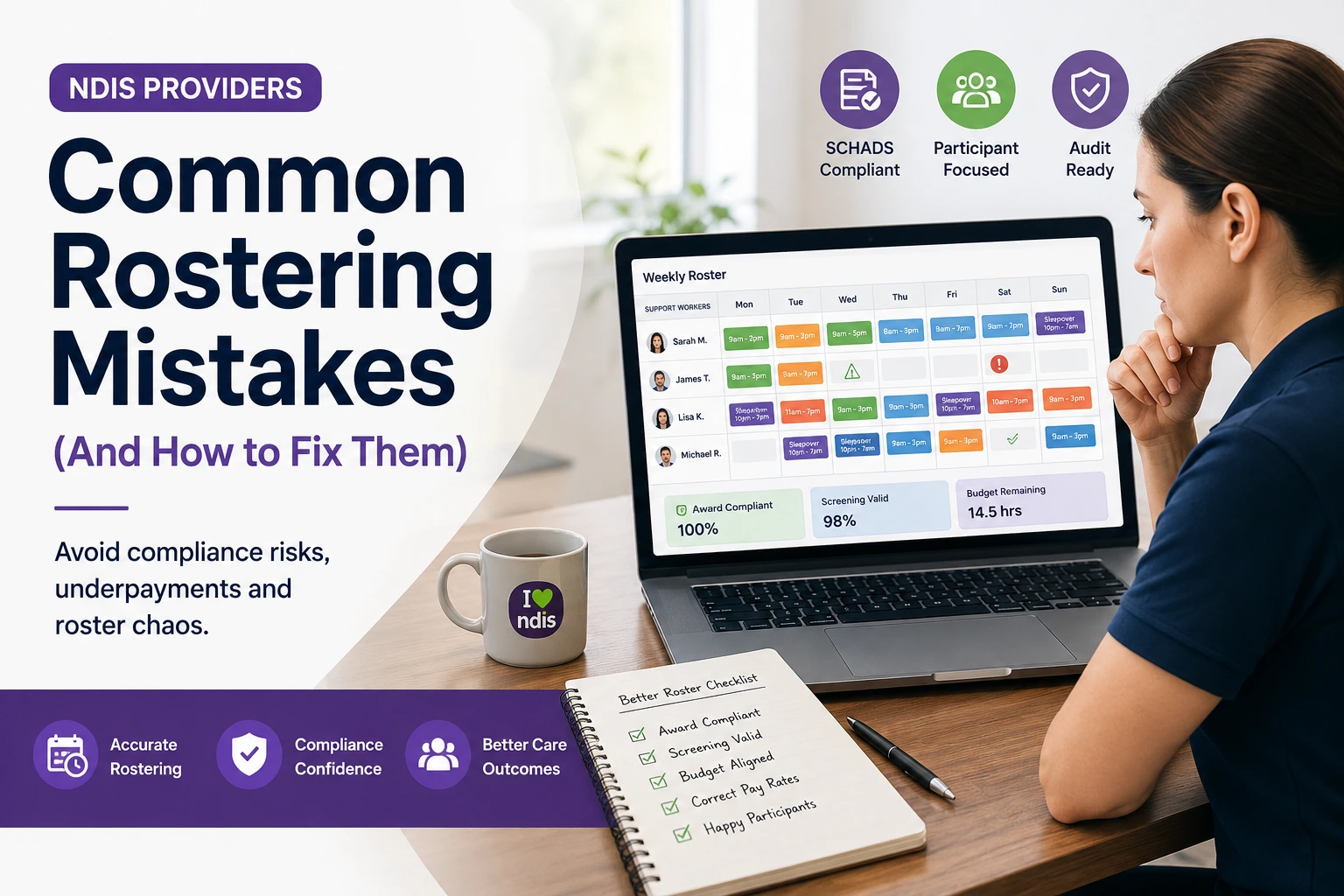
No. Many NDIS providers employ workers covered by the SCHADS Award, but the correct industrial instrument depends on the employer, duties, role classification and any applicable enterprise agreement. Providers should confirm coverage before configuring software rather than selecting “SCHADS” because it appears to fit the industry.
This distinction matters because a technically accurate calculation under the wrong award or classification can still produce the wrong pay result.
Before implementation, document:
Have the configuration reviewed by someone who understands both the applicable award and the software.
From July 2026, providers need to account for updated modern award minimum wages and the commencement of Payday Super. These changes make current pay tables, earnings-category mapping, approval timing and reliable payroll reporting especially important.
From the first full pay period starting on or after 1 July 2026, award minimum wages increased by 4.75%. The National Minimum Wage also increased to $26.44 per hour or $1,004.90 per 38-hour week. (Fair Work Ombudsman)
Providers should not assume that a software update has been applied correctly. Before finalising the first affected pay run, confirm:
Use the Fair Work Ombudsman’s current pay guide or Pay and Conditions Tool as the reference point rather than an old spreadsheet.
The ATO states that Payday Super applies from 1 July 2026. Employers now calculate, pay and report super guarantee under the Payday Super rules, including for eligible contractors where relevant. (Australian Taxation Office)
This makes payroll accuracy and approval timing more important. A late correction can affect more than gross wages; it may also create a related superannuation correction.
Your system and payroll process should clearly map:
Do not rely only on category names. Confirm how each category is treated in the payroll engine.
Australian employers generally need STP-enabled payroll software or an appropriate reporting solution that sends payroll information to the ATO. NDIS software does not automatically satisfy this requirement unless it includes or connects to an STP-capable payroll product.
| Feature | Payroll Software | NDIS Management Software |
|---|---|---|
| Payroll Processing | ✅ | ❌ |
| SCHADS Award Interpretation | ✅ | Usually via Integration |
| Single Touch Payroll (STP) | ✅ | ❌ |
| Superannuation | ✅ | ❌ |
| Participant Management | ❌ | ✅ |
| Care Plans | ❌ | ✅ |
| Case Notes | ❌ | ✅ |
| Incident Management | ❌ | ✅ |
| Rostering & Scheduling | Limited | ✅ |
| Worker Compliance Records | Limited | ✅ |
| Billing & NDIS Claims | ❌ | ✅ |
The ATO maintains information about Single Touch Payroll and a software product register. The ATO also makes clear that inclusion in its registers is not an endorsement of a particular product. Employers must assess product terms and suitability themselves. (Australian Taxation Office)
Ask the payroll vendor:
The best payroll software for an NDIS provider should do more than generate pay slips. It should receive reliable time data, interpret the applicable employment rules, maintain an audit trail, support STP and super obligations, integrate with accounting, and help managers detect errors before payroll is finalised.
The system should support the rules that actually apply to your workforce.
Request a demonstration using realistic examples, including:
Do not accept a generic statement that the software is “award compliant”. Ask the vendor to show the calculation and identify the underlying configuration.
The strongest systems minimise manual re-entry.
A good workflow looks like this:
Roster → attendance → worker confirmation → manager approval → award interpretation → payroll review → STP and super → accounting reconciliation
Each stage should preserve important details such as:
An integration that sends only a total number of hours may lose the context needed for correct award interpretation.
Useful functions include:
Location tracking must be implemented transparently, proportionately and in line with privacy and workplace obligations.
The software should flag exceptions before the pay run.
Useful warnings include:
A warning should be explainable. Managers need to know what triggered it and what action is required.
Payroll records should show:
Australian employers generally have to keep time and wage records for seven years. Pay slips must also be issued within one working day of payday and contain required information. (Fair Work Ombudsman)
Payroll software does not replace NDIS compliance management, but connected workforce records can reduce gaps.
For registered providers, NDIS Practice Standards include human-resource management indicators covering records such as worker identity, right to work, pre-employment checks, qualifications and experience. Worker screening obligations also require providers to maintain and update relevant information. (NDIS Quality and Safeguards Commission)
Useful alerts include:
These records should be connected to workforce scheduling so an ineligible or non-compliant worker is not assigned accidentally.
Payroll data should reconcile with the general ledger.
Look for:
CareMaster, ShiftCare, Brevity and SupportAbility are examples of NDIS platforms advertising various accounting or payroll integrations. The exact direction, frequency and detail of each integration varies, so providers should test their required workflow rather than treating all integrations as equivalent. (caremaster.com.au)
One of the most valuable capabilities is seeing the expected labour cost while building the roster.
A provider should be able to compare:
The NDIS Support Catalogue lists available support items and appropriate maximum prices. The 2026–27 pricing schedule took effect from 1 July 2026. These are pricing and claiming references; they do not replace an employer’s obligations under the applicable award, agreement or employment contract. (NDIS)
A support item’s maximum price is therefore not the same thing as an employee’s hourly wage.
There is no single best configuration for every provider. A small organisation may prefer a straightforward all-in-one payroll and rostering product. While a growing or complex provider may need separate NDIS management, award interpretation, payroll and accounting systems connected through reliable integrations.
| Software model | Best suited to | Main advantage | Main risk |
| Payroll with HR and rostering | Small or medium providers focused mainly on workforce management | Fewer workforce systems | May lack deep participant, service, claiming or incident functions |
| NDIS platform with payroll export | Providers with established payroll software | Retains specialist NDIS operations | Export may omit information required for award interpretation |
| NDIS platform with direct payroll integration | Growing providers seeking automation | Less re-entry and better traceability | Integration quality and field mapping must be tested |
| NDIS platform plus specialist award engine | Providers with complex SCHADS rosters | Stronger award interpretation | More vendors, implementation work and subscription costs |
| Enterprise care platform with APIs | Large, multi-service organisations | Configurability and scalability | Higher implementation cost and internal expertise required |
A small provider with a limited number of workers and predictable weekday shifts may be able to use:
The provider still needs written configuration rules and payroll checks.
A provider with multiple coordinators, casual workers and varied shifts may need:
At this stage, spreadsheet exports often become a risk because changes are difficult to trace.
A provider delivering 24-hour or Supported Independent Living services may require:
This is where testing the system with real historical shifts becomes essential.
Australian providers can choose from integrated payroll products, NDIS systems with payroll connections and specialist SCHADS solutions. The examples below illustrate different system models rather than constituting a ranking or endorsement.
| Software | Payroll | Rostering | Participant Management | Best For |
|---|---|---|---|---|
| Employment Hero | ✅ | ✅ | ❌ | HR & Payroll |
| ClockOn | ✅ | ✅ | ❌ | Payroll & Attendance |
| ShiftCare + Pay Cat | Integration | ✅ | ✅ | SCHADS Compliance |
| CareMaster | Integration | ✅ | ✅ | NDIS Operations |
| SupportAbility | Integration | ✅ | ✅ | Service Delivery |
| Brevity | Integration | ✅ | ✅ | Growing Providers |
| Ausvanta | Roadmap* | ✅ | ✅ | NDIS Operations Platform |
Note: At the time of writing, Ausvanta provides participant management, rostering, staff records, case notes, incident management, and payroll-ready operational workflows. SCHADS-aware payroll features are on the product roadmap.
Employment Hero offers HR, payroll and rostering capabilities and promotes automated award interpretation for NDIS providers. It may suit organisations wanting broader employee-lifecycle functions, including recruitment and HR. (Employment Hero)
ClockOn combines rostering, attendance, HR and payroll. Its NDIS material focuses on accurate timekeeping, roster costing and payroll. (clockon.com.au)
This model combines ShiftCare’s NDIS rostering and timesheets with Pay Cat’s award interpretation and payroll workflow. It is an example of two specialist systems forming one process. (paycat.com.au)
CareMaster advertises accounting and payroll integrations with Xero, MYOB AccountRight and KeyPay or Employment Hero, along with SCHADS Award interpretation functions. (caremaster.com.au)
SupportAbility focuses on NDIS client and service management and can export staff time and attendance data into supported payroll systems. Its guidance states that the payroll system is responsible for interpreting the award. (SupportAbility)
Brevity provides NDIS and aged-care management functions and advertises integrations with accounting platforms, including the exchange of payroll data. (brevity.com.au)
Visualcare connects care management and rostering with payroll workflows and has introduced award-aware rostering through Pay Cat Connect. (visualcare.com.au)
These platforms target broader or more complex care operations. AlayaCare supports connected rostering, billing and payroll-related workflows, while Lumary focuses on enterprise and growing disability-service providers with workforce and service-management capabilities. (AlayaCare)
Always request current technical documentation. Vendor features, integrations, package inclusions and pricing can change.
Ausvanta is currently positioned as NDIS operations software rather than a replacement payroll engine. It can organise participants, workers, schedules, notes, records and audit history, while payroll should be processed through a separate compliant product until the required payroll and SCHADS capabilities are confirmed as live.
Ausvanta’s public website describes current functions including:
Its current FAQ is also transparent that SCHADS-aware payroll, PRODA connectivity and automated claiming are on the roadmap rather than live features. (Ausvanta)
That means a practical present-day structure may be:
Ausvanta for NDIS operations → approved timesheet or data export → specialist Australian payroll software → STP, super and accounting
Before selecting the final payroll product, confirm:
Ausvanta offers API access as an add-on and lists custom integrations within parts of its published product offering. The exact suitability for a particular payroll workflow should be confirmed in a demonstration and documented before purchase. (Ausvanta)
Choose payroll software by documenting your real employment rules and operational workflow first. Then test shortlisted products with actual shift examples, verify the output against current Fair Work information, assess the integration in both directions and calculate the full implementation cost.
Document every stage from roster creation to bank payment.
Identify:
Create a list of the most common and most difficult pay scenarios.
Include ordinary shifts, weekends, public holidays, broken shifts, sleepovers, travel, overtime, meetings and training.
Mandatory features might include:
Optional features might include:
This prevents attractive secondary features from distracting you from payroll accuracy.
Process at least one completed historical pay period in the proposed system.
Compare:
Investigate every variance rather than assuming the new system is correct.
Ask the vendor to demonstrate:
Normal demonstrations show the happy path. Payroll risk usually sits in exceptions.
Payroll and participant information is sensitive.
Check:
Assign named owners for:
Automation reduces repetitive work, but it does not remove accountability.
Use the following checklist:
Ask the vendor to record important answers in the proposal or statement of work.
Costs vary according to workforce size, modules, award interpretation, payroll frequency, implementation and integrations. Providers should compare the total cost of ownership rather than focusing only on the advertised monthly subscription.
Possible charges include:
Also calculate internal costs:
A more expensive platform may produce a lower total cost when it removes double handling. Conversely, an elaborate system can be poor value for a small provider with simple shifts.
The most common mistakes are assuming that software guarantees compliance, configuring workers under the wrong classification, transferring incomplete timesheet data, failing to test complex shifts and buying roadmap features as though they already exist.
No software removes the need to select the correct award, classification and employment arrangement.
Payroll cannot reliably repair missing breaks, incorrect times or unclear travel information after the fact.
Award interpretation may require the exact start time, finish time, day, break and work type.
By the time payroll sees an expensive or non-compliant roster, the work has already been performed.
An old or incorrectly mapped allowance can affect wages, super, accounting and reporting.
A vendor may truthfully say two systems integrate, but the integration may not transfer every field your organisation requires.
NDIS support-item prices concern what can be charged or claimed. Employee wages arise from workplace law, awards, agreements and employment contracts.
Ask vendors to separate:
Before going live, verify that:
Yes. Australian NDIS providers have several suitable payroll options, but suitability depends on more than the payroll brand. The critical question is whether the full process—from rostering and attendance to award interpretation, STP, superannuation and accounting—is accurate, connected and auditable.
For a provider with simple shifts, mainstream Australian payroll software connected to a controlled rostering process may be enough.
For providers managing sleepovers, broken shifts, multiple employment types or complex SIL rosters, a specialist SCHADS interpretation engine or tightly integrated workforce platform may be safer and more efficient.
Ausvanta can support the operational side of this process by bringing NDIS participants, staff, scheduling, notes and records into one platform. Providers should pair it with an appropriate payroll solution and verify the required data flow while SCHADS-aware payroll remains on the Ausvanta roadmap.
Explore Ausvanta’s NDIS software features or contact the Ausvanta team to discuss how your current rostering and payroll workflow could be structured with less manual handling.
Start your free 14-day trial — unlimited users, no credit card required.