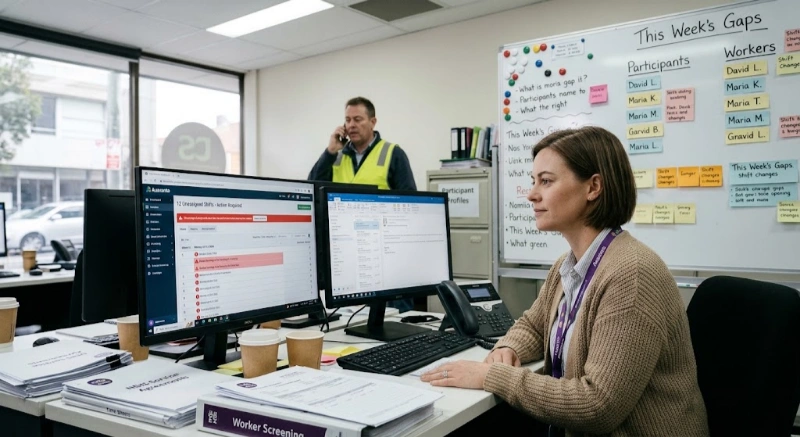
Spreadsheets get an NDIS provider through the early years. Then a roster gets missed, a claim is rejected because a support item code was typed wrong, or an auditor asks for a participant history split across four tabs and two former staff members' laptops. This is the point where NDIS software data migration stops being optional.
Migration is the process of moving participant records, incident reports, service notes, rosters and billing history out of spreadsheets, or an outgrown system, and into a purpose-built NDIS platform, without losing anything an auditor, a participant or the NDIA might ask for later. Done well, it takes weeks, not months, and can run alongside normal service delivery. Done badly, it creates duplicate participant files, broken claim histories and gaps in the record that surface during a compliance audit. This guide covers how to do it well.
NDIS software data migration is the structured process of extracting participant, rostering, incident and financial data from spreadsheets or a legacy system, cleaning and reformatting it, then loading it into a new NDIS management platform. It covers technical transfer as well as validation, so the new system holds accurate, complete records from day one.
It is different from a simple export-and-import. Spreadsheets rarely store data in a shape any software can read directly — participant names might be split across columns inconsistently, dates might mix DD/MM/YYYY with MM/DD/YYYY, and support item codes might be abbreviated differently by different staff. Migration also has to carry across service agreements, case and progress notes, incident and complaint records, worker screening evidence, and claims history, not just a contact list.
Spreadsheets are flexible, which is exactly why they become risky as a provider grows. Common failure points include:
Migrating from spreadsheets to NDIS software generally follows six stages: auditing what data exists, cleaning and standardising it, mapping fields to the new system, running a test migration, going live in parallel with the old system, then verifying the result. Most small-to-mid providers complete this in two to six weeks.
List every spreadsheet, shared drive folder and paper file currently holding participant, rostering or financial data, and note who owns each one. Providers are often surprised to find three or four unofficial versions of the same participant list.
Fix duplicate participant entries, standardise date formats and naming conventions, and remove information that's clearly outdated. This step typically takes longer than the technical transfer itself.
Match each spreadsheet column to the corresponding field in the new platform — participant name, NDIS number, plan dates, support categories, rostered worker, claim status, and so on. Flag anything that doesn't have an obvious home yet.
Migrate a small sample first — one team, one month of rosters, or a handful of participant files — and check it against the source spreadsheet line by line before moving everything.
Run the old and new systems side by side for at least one full billing or roster cycle rather than switching over in a single step. This protects continuity of care and gives staff time to adjust.
Once the parallel run is complete, reconcile totals — participant counts, claim amounts, rostered hours — between the two systems before retiring the spreadsheets. Archive the originals; don't delete them.
| Data type | Examples | Why it matters |
|---|---|---|
| Participant records | Contact details, NDIS number, plan dates, support categories | Core record an auditor or the NDIA will request first |
| Service agreements & plans | Signed agreements, budget breakdowns | Evidence that supports were agreed and funded |
| Case & progress notes | Daily notes, goal tracking | Shows what support was delivered, when, and by whom |
| Incident & complaint records | Reportable incidents, resolutions | Carries ongoing notification obligations to the NDIS Commission |
| Rostering & shift history | Past and upcoming shifts, worker assignments | Connects worker pay, SCHADS compliance and service delivery |
| Claims & invoicing history | Submitted claims, remittances, rejections | Needed to reconcile funding and resolve disputed claims |
| Worker screening & compliance records | Screening checks, qualifications, expiry dates | Required evidence for audits, with its own retention rules |
Small providers with fewer than 50 participants usually finish in two to four weeks. Mid-sized providers with several hundred participants and multiple years of history typically need six to twelve weeks, mostly spent cleaning data rather than transferring it.
The technical transfer itself is often the fastest part. Timelines stretch when historical data is scattered across several staff-owned spreadsheets, when consent or screening documentation is incomplete, or when a provider wants several years of history migrated rather than starting fresh with current participants only.
Cost depends mainly on data volume and how disorganised the source spreadsheets are, not just the new software's list price. Many NDIS platforms include baseline import support for new subscribers, while large or messy historical datasets may need extra setup time or a paid migration service.
Factors that influence cost include:
The NDIS Practice Standards require registered providers to keep records accurate, current, complete, secure and accessible under the Information Management outcome, regardless of which system stores them. This obligation applies before, during and after a migration — providers remain responsible for participant data even while it sits mid-transfer between two systems.
The NDIS Commission doesn't prescribe a specific migration method or software platform. What it does expect is that records stay accurate and complete, are protected by appropriate access controls, remain accessible to authorised staff, and are handled in line with the Privacy Act 1988 and the Australian Privacy Principles. Retention periods carry over too: records are generally kept for seven years, and for participants who were under 18, until they turn 25.
| Requirement | What it means for migration |
|---|---|
| Accuracy & completeness | Verify no records are dropped, duplicated or altered during transfer |
| Security & access control | The new platform should restrict access by role from day one, not ‘everyone sees everything’ as spreadsheets often do |
| Retention periods | Historical records must carry their existing retention timer across, not reset to zero on migration day |
| Privacy Act 1988 & APPs | Any vendor assisting with migration should be covered by a data handling agreement |
| In-house migration | Vendor-assisted migration | |
|---|---|---|
| Best for | Small, well-organised datasets | Larger or messier historical data |
| Cost | Lower direct cost, higher staff time | Often bundled into onboarding, or a set fee |
| Speed | Depends on staff availability | Usually faster with dedicated resourcing |
| Risk | Higher risk of missed fields without prior migration experience | Lower risk, but relies on vendor data-handling practices |
For illustration, a mid-sized provider with around 150 participants and four years of spreadsheet history might spend the first two weeks auditing and cleaning data, week three mapping fields and running a test migration, weeks four and five running both systems in parallel while staff adjust, and week six reconciling and switching over fully. This is a general pattern rather than a guaranteed timeline — actual timing depends on how organised your existing spreadsheets are.
What is NDIS software data migration?
It's the process of moving participant, rostering, incident and financial data out of spreadsheets or an old system and into a new NDIS platform, including cleaning and checking the data so nothing is lost or duplicated.
How do I migrate data from spreadsheets to NDIS software?
Audit what you have, clean and standardise it, map each column to a field in the new system, run a test migration, go live while running both systems in parallel for one billing cycle, then verify the results before retiring the spreadsheets.
How long does NDIS data migration take?
Small providers with under 50 participants usually finish in two to four weeks. Mid-sized providers with several hundred participants and years of history typically need six to twelve weeks, mostly for data cleaning.
What does NDIS data migration cost?
Cost depends on data volume and how messy the source spreadsheets are. Many platforms include migration support in onboarding, but large or disorganised historical datasets may need extra setup time or a paid migration service.
Can I migrate data myself, or do I need a vendor?
Small, well-organised datasets can often be migrated in-house using a platform's import tools. Larger or messier datasets, or providers without spare admin capacity, usually benefit from a vendor-assisted migration.
What happens to old records after migration?
They still need to be retained for the required period — generally seven years, or until a participant who was under 18 turns 25 — even once you've stopped using them day to day. Keep an archived, read-only copy of the original spreadsheets.
Will migrating disrupt participant support during the changeover?
It shouldn't, if you run the old and new systems in parallel for at least one billing or roster cycle before switching over fully, rather than cutting over in a single step.
What's the biggest risk in a spreadsheet-to-software migration?
Data quality, not the technical transfer. Duplicate participant entries, inconsistent date formats and missing consent documentation are the most common causes of delays and compliance gaps.
Does the NDIS Commission require a specific migration process?
No. The NDIS Commission doesn't mandate a particular system or migration method. It requires that participant records stay accurate, complete, secure and accessible under the Information Management outcome, whichever system or process you use to get there.
Do I need participant consent to migrate their data to a new platform?
You don't need fresh consent simply to move data between your own systems, but you do need to handle it in line with the Privacy Act 1988 and the Australian Privacy Principles, including keeping it secure during the transfer.
What data should never be left behind in a migration?
Service agreements, incident and complaint records, worker screening evidence and claims history should always migrate in full — these are the records auditors ask for most often.
Can I migrate from paper records as well as spreadsheets?
Yes. Paper records need to be digitised (scanned and indexed) before or during migration, then treated the same way as spreadsheet data for cleaning, mapping and verification.
If your provider is still running on spreadsheets, the safest path is a staged migration rather than a rushed cutover: audit what you have, clean it, test it, then move across in parallel with your existing process. If you'd like to see how a connected platform handles participant records and rostering in one place, you can book a demo with Ausvanta to walk through your own data before committing to a switch.
Start your free 14-day trial — unlimited users, no credit card required.