Claims & billing

From approved shifts to claim batches, without re-keying

Validate NDIS claim lines, batch and export them for lodgement, raise invoices and see where plan funding is heading โ€” with every action audited.

What it does not do: Ausvanta prepares and exports NDIS claim batches for lodgement. It does not submit claims to the NDIA and has no PRODA or PACE connection.

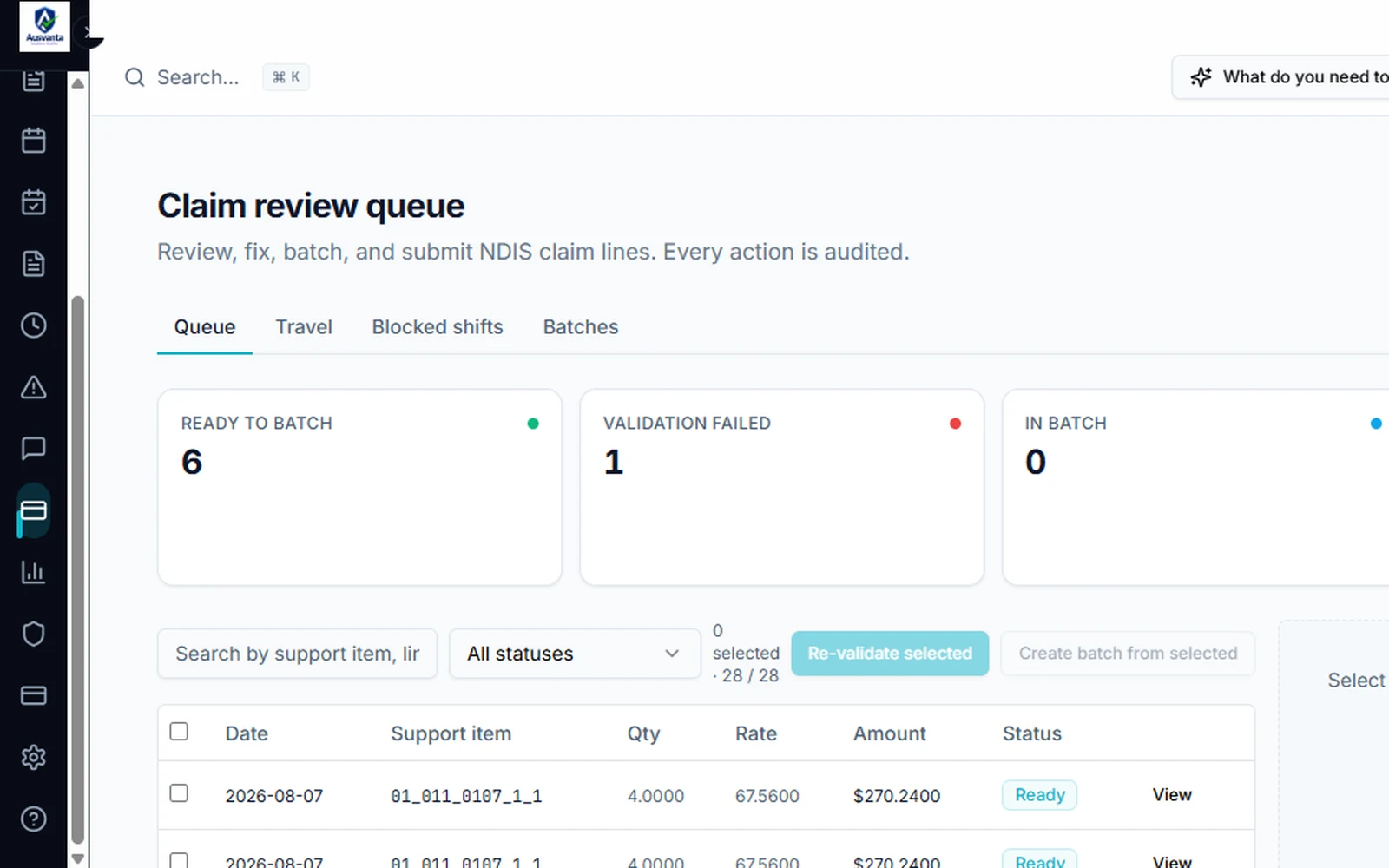
The claim review queue in Ausvanta
Key capabilities

What claims & billing looks like in Ausvanta

01 ยท CLAIMS & BILLING

Claim Review Queue

Every claim line shows its date, NDIS support item, quantity, rate, amount and status. Select a line to see its validation result, the source evidence behind it and any adjustments.

Claim review queue โ€” Ausvanta screenshot
02 ยท CLAIMS & BILLING

Fix, Re-validate and Batch

Fix the lines that failed validation and re-validate them, then create a batch from the lines that are ready and export it for lodgement. Worker-travel lines have their own tab, and shifts that can't be claimed yet are listed as blocked.

Claim lines ready to batch โ€” Ausvanta screenshot
03 ยท CLAIMS & BILLING

Invoicing with Ageing

Raise NDIS invoices and track them by status. Outstanding value is aged โ€” current, 1โ€“30, 31โ€“60, 61โ€“90 and 90+ days โ€” and invoices without a due date are shown separately, so nothing sits unaged.
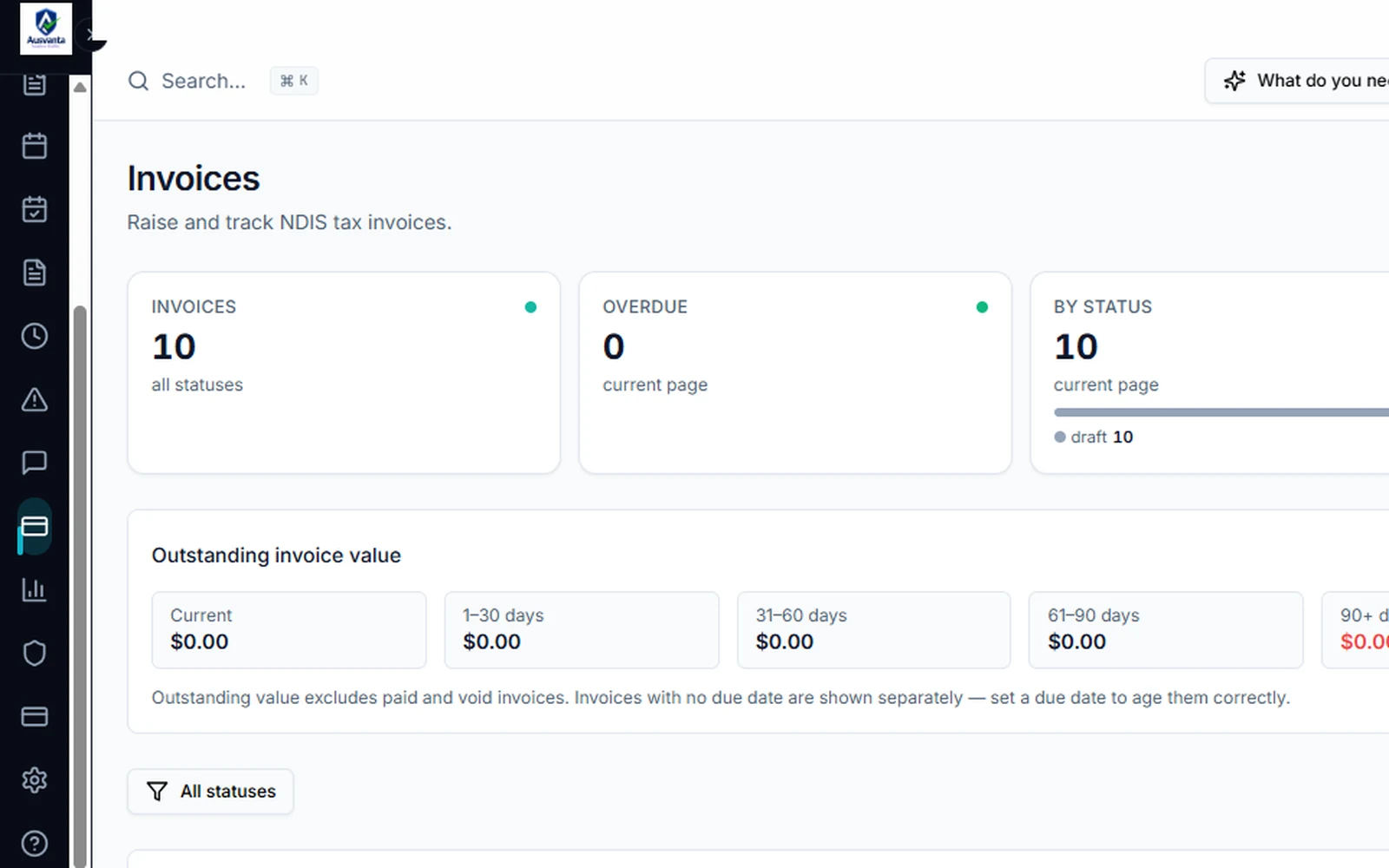
Invoices and outstanding value โ€” Ausvanta screenshot
04 ยท CLAIMS & BILLING

Built on Approved Timesheets

Claims and billing exports draw on approved timesheets. With timesheet automation on, verified shifts become timesheet entries on your schedule, and approval always stays a human decision. Approved data exports for NDIS billing and payroll, with Xero integration available on request.
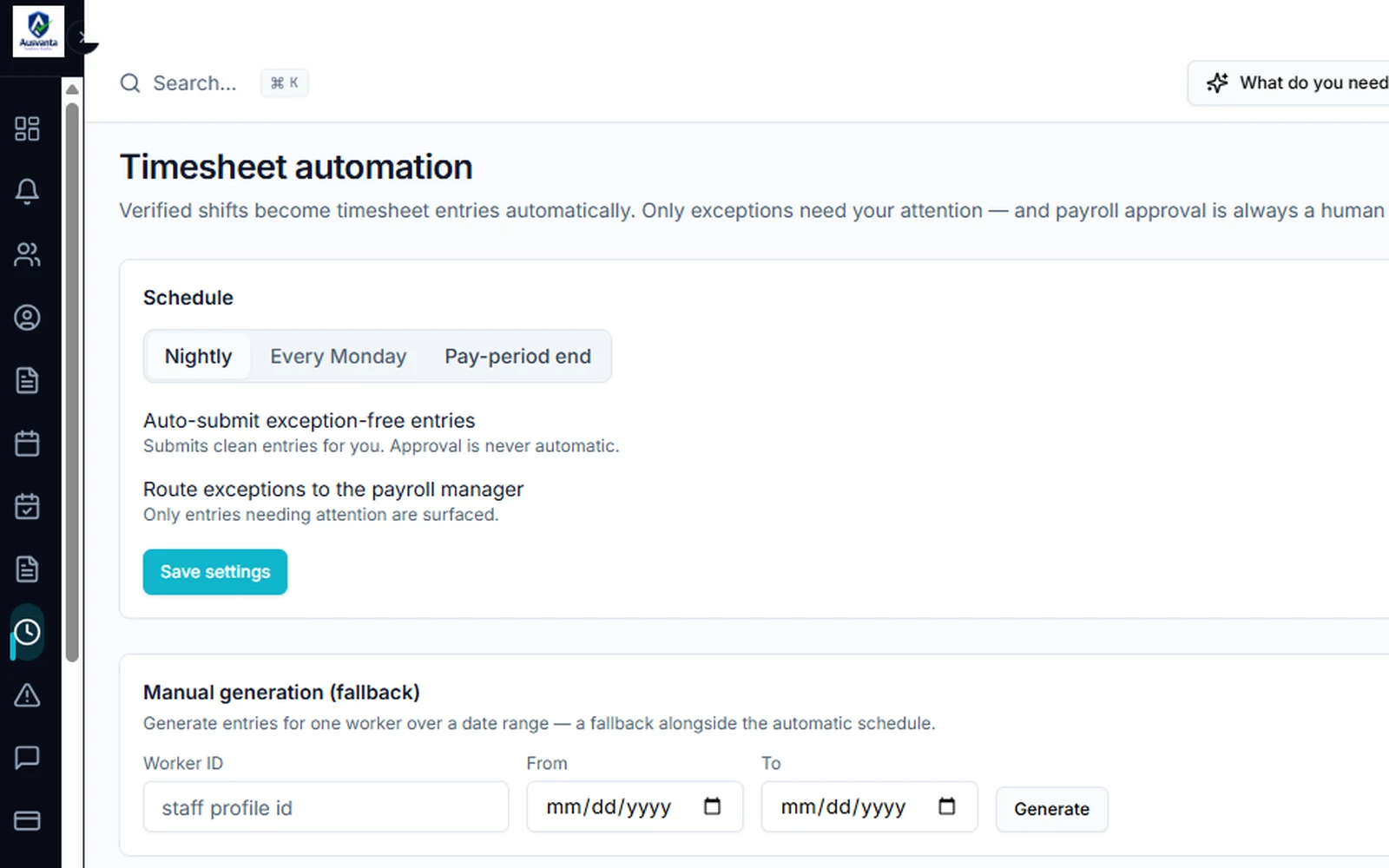
Timesheet automation โ€” Ausvanta screenshot
How it works

From delivered support to exported batch

1Deliver and approve

Shifts are verified and timesheets are approved against the support that was actually delivered.

2Validate and batch

Claim lines are checked against their source evidence. Fix what failed, then batch the lines that are ready.

3Export and follow up

Export claim batches for lodgement, raise invoices and follow outstanding value as it ages.

Your questions answered

Common questions

Does Ausvanta lodge claims with the NDIA directly?
Not directly. There is no PRODA, myID or PACE connection yet, so Ausvanta prepares and exports claim batches and you lodge them through your usual NDIA process. Every action in the claim review queue is audited.
Can I see where a participant's funding is up to?
Yes. The funding dashboard shows the provider-wide position โ€” used against remaining, category utilisation and monthly burn-rate โ€” and forecasts a plan-exhaustion date once there is enough data. Participants whose funding may run out early are flagged so you can review them with coordinators.
Does Ausvanta connect to Xero?
Yes, on request. A Xero integration is available, and we enable it and set it up for your organisation when you need it.
Is payment reconciliation automated?
Not yet. Automated payment reconciliation is still in development, and we will say so plainly until it ships.
Which plans include claims and billing?
Every plan. Ausvanta is priced by active participants, with unlimited users and every core feature on every tier โ€” see pricing.

See claims & billing in action

Try it with your own data โ€” free for 14 days, unlimited users.