
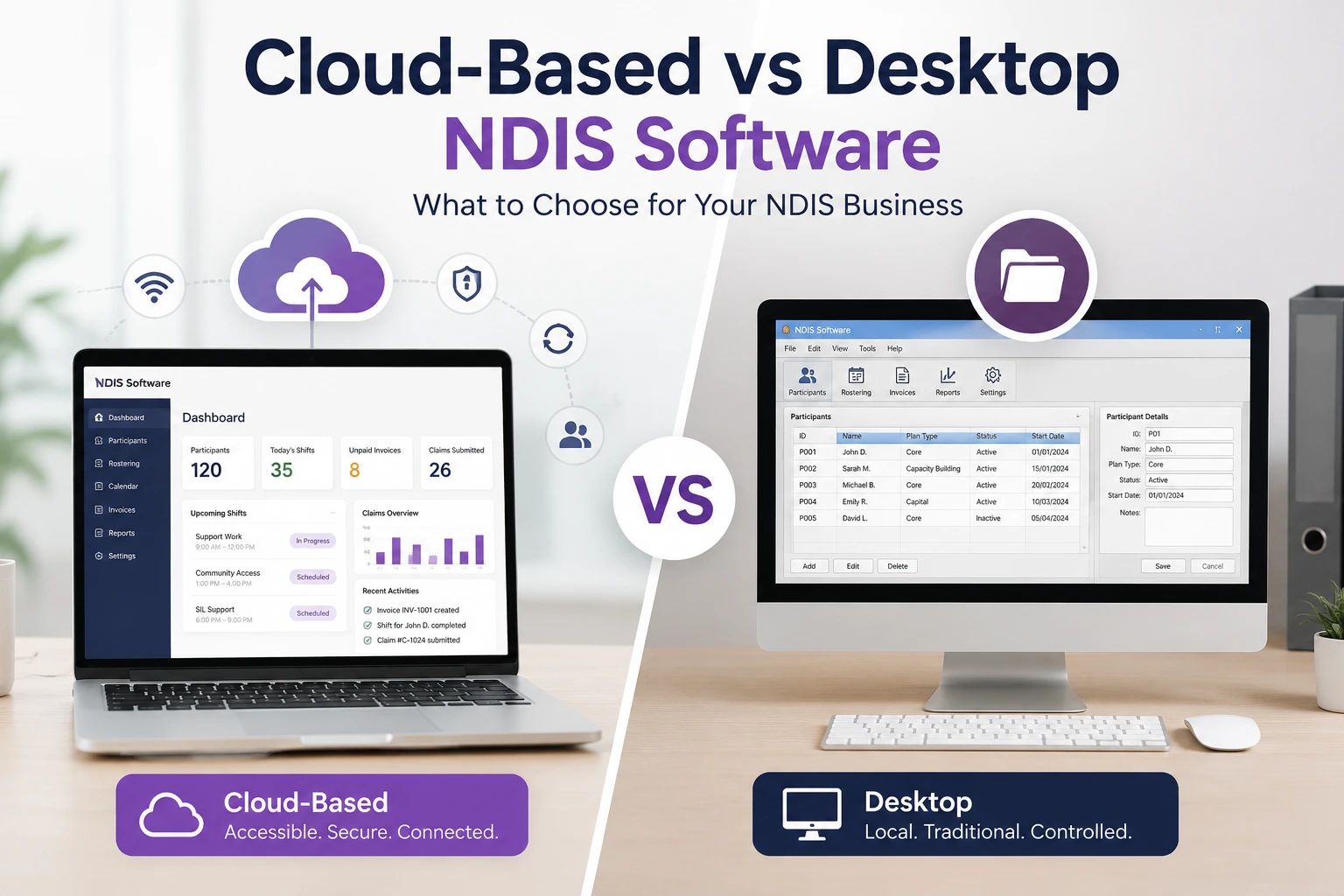
• Cloud software is the best option for most Australian NDIS providers.
• Desktop software suits only very small office-based teams.
• Cloud systems improve collaboration, compliance and mobile access.
• Security depends on vendor practices, not simply whether software is cloud or desktop.
• Choose software based on workflow, not just features.
Choosing between Cloud-Based vs Desktop NDIS Software is no longer just an IT decision. For Australian NDIS providers, it affects how quickly teams can roster shifts, record case notes, submit claims, manage incidents, protect participant information, and stay audit-ready. The wrong setup can create double handling, slow payments, poor visibility, and unnecessary compliance stress.
The short answer: cloud-based NDIS software is usually the better fit for growing, mobile, multi-staff, or compliance-focused providers. Desktop software may still suit very small teams with limited internet access or highly specific local workflows. The real decision depends on access, cost, security, migration effort, claiming needs, and how your team actually works every day.
Cloud-based NDIS software is a web-based system that stores data securely online and lets authorised users access rosters, participant records, case notes, claims, invoices, and reports from connected devices. For most NDIS providers, the main benefit is real-time access across coordinators, support workers, finance teams, and managers.
Unlike a desktop program installed on one computer, cloud-based software is usually delivered as Software as a Service, often called SaaS. Your team logs in through a browser or mobile app. Updates, backups, access permissions, and feature improvements are usually managed centrally by the software provider.
For NDIS operations, that matters because service delivery rarely happens in one office. Support workers may be in the community, coordinators may work remotely, finance staff may need claim data, and managers may need visibility across multiple sites. Many current NDIS platforms now position themselves around centralised, cloud-based workflows, mobile access, billing, compliance, and reporting. (Lumary)
Desktop NDIS software is installed on a local computer, office server, or internal network. It may store data locally or on a private server controlled by the provider. It can work well for a small office-based team, but it can become harder to manage when staff need remote access, mobile documentation, automatic updates, or multi-location visibility.
The biggest appeal of desktop software is control. Some providers like having files on their own computers. Others may already have an older desktop system that staff understand. In areas where internet access is unreliable, a local system can also feel safer.
However, desktop software can create practical issues. Remote access may require VPNs or remote desktop tools. Backups may depend on internal processes. Updates may be manual. If only one computer has the latest file, teams can easily work from outdated information. For NDIS providers handling rosters, service agreements, invoices, support logs, and case notes, outdated records can quickly become an operational and compliance risk.
For most Australian NDIS providers, cloud-based software offers better accessibility, scalability, team visibility, and workflow automation. Desktop software can still be suitable for simple, office-based operations, but it often becomes restrictive as providers grow, add staff, deliver community supports, or need stronger audit trails.
| Comparison Area | Cloud-Based NDIS Software | Desktop NDIS Software |
| Access | Available from browser or app with internet | Usually limited to installed device or office network |
| Mobile support workers | Strong fit for field notes, shift updates, photos, and timesheets | Often requires extra setup or manual upload |
| Updates | Usually automatic | Often manual or IT-managed |
| Backups | Usually managed by provider/vendor setup | Must be managed locally or by internal IT |
| Scalability | Easier to add users, sites, and modules | Can become complex across multiple users or locations |
| Collaboration | Real-time shared records | Risk of version confusion if not centrally managed |
| Security | Depends on vendor controls, MFA, hosting, permissions | Depends on local device/server security and backup practices |
| Compliance visibility | Stronger for audit logs, document expiry, reporting dashboards | Possible, but often more manual |
| Upfront cost | Usually subscription-based | May involve licence, server, setup, and IT costs |
| Best fit | Growing providers, mobile teams, multi-site operations | Very small teams, offline-heavy workflows, local-only operations |
Cloud-based NDIS software is better for most providers because NDIS work is mobile, documentation-heavy, and compliance-sensitive. Providers need accurate records, current rosters, support notes, incident documentation, invoices, and payment data. A cloud system makes these easier to access, update, and review across the team.
That does not mean desktop software is always wrong. A solo provider with simple services, stable office processes, and limited need for remote access may manage with a desktop system. But once a provider has multiple workers, several participants, plan managers, NDIA-managed claims, incident records, or audit preparation requirements, cloud-based software usually becomes more practical.
The NDIA states that providers need to keep complete and accurate records of supports delivered, including invoices, support logs, rosters, case notes, and service agreements. It also states that providers are responsible for making sure payment claims are complete, truthful, and accurate. (NDIS)
That requirement alone makes software choice important. A system that helps staff document services at the time of delivery is usually safer than one that depends on late manual entry.
Cloud-based NDIS software fits modern NDIS operations because it connects participant management, rostering, support notes, billing, compliance, and reporting in one shared environment. This reduces double handling and helps providers respond faster when rosters change, documents expire, claims are rejected, or incidents need attention.
NDIS providers do not just manage appointments. They manage people, funding rules, worker availability, service agreements, participant preferences, progress notes, risks, invoices, support item numbers, and compliance evidence. If these live in separate spreadsheets, paper folders, emails, and desktop files, small mistakes can become expensive.
Current competitor messaging reflects this shift. FlowLogic’s LinkedIn content highlights centralised participant management, rostering, billing, reporting, governance, audit readiness, and operational efficiency. Another LinkedIn post in the same search landscape described provider pain points such as spreadsheets, paperwork, roster changes, delayed progress notes, billing bottlenecks, and compliance tasks. (LinkedIn)
A provider starts with five workers and a simple spreadsheet. At first, it works. Then the team grows to 30 workers, supports participants across different suburbs, and begins handling more plan-managed and NDIA-managed work.
Suddenly, the spreadsheet creates problems:
This is where cloud-based NDIS software becomes valuable. It does not just “store data”. It helps the provider run a connected workflow.
NDIS software affects claims by helping providers capture the right service details, support item numbers, dates, participant information, and pricing before payment requests are submitted. It cannot replace provider responsibility, but it can reduce missing data, manual entry errors, and delays caused by disconnected records.
The NDIA says payment claims require information such as participant name, participant reference or NDIS number, dates of support, support item reference number, and support item price. Providers make payment requests through online systems such as the myplace provider portal. (NDIS)
For NDIA-managed funding, providers need to submit a payment request through the myplace provider portal and, in certain cases, submit within the relevant service booking rules. The NDIA also notes that valid claims from “my providers” are usually paid within 2 to 3 business days, while claims may take longer if checks are required. (NDIS)
A good NDIS software system should help your team prepare cleaner claim data before it reaches the portal. It should not encourage blind automation. The best setup is controlled automation: the software reduces admin, but staff still review accuracy before submission.
PACE and provider portal processes make accurate, structured data even more important. Providers still need to use official NDIA systems for financial transactions, but software can help prepare, organise, and reconcile the information that goes into those systems.
The NDIA says providers should continue using the myplace provider portal to manage financial transactions with the NDIA, including submitting claims. It also states that claims continue to use existing NDIS support item descriptions or codes, which point to the relevant budgets in the newer computer system. (NDIS)
The NDIA also notes that as participants and plans move to the newer system, providers will not be able to use the single line-item claim function in some cases and should consider using the bulk payment request template to reduce duplicate processes and payment delays. (NDIS)
This is a strong argument for cloud-based systems that can support structured billing workflows, export-ready claim data, and better reconciliation. Desktop systems may still support bulk files, but providers need to check how easy it is to keep claim logic, pricing updates, and workflow controls current.
NDIS software supports compliance by helping providers keep complete records, track incidents, document service delivery, monitor worker documents, manage service agreements, and produce evidence when needed. Software does not make a provider compliant by itself, but it can make compliance easier to prove.
The NDIS Quality and Safeguards Commission says incidents in NDIS supports and services need to be identified, assessed, recorded, managed, and resolved while making sure the person with disability feels safe, respected, and informed. (NDIS Quality and Safeguards Commission)
That wording is important. Incident management is not just about having a form. It is about a process. Providers need to show what happened, who was involved, what action was taken, what follow-up occurred, and whether the participant was informed and supported.
Cloud-based software can help by giving teams:
Desktop software can support some of these functions, but it often depends on how well the provider configures local access, backups, shared folders, and permissions.

Cloud-based NDIS software can be safe, but only when the provider and vendor both take security seriously. Providers should check hosting location, access controls, multi-factor authentication, backups, encryption, audit logs, breach response processes, staff permissions, and data export options before choosing a system.
Cloud is not automatically secure. Desktop is not automatically safer. Both models can fail if passwords are weak, devices are shared, backups are poor, staff access is not controlled, or sensitive participant information is sent through unsecured channels.
The Australian Digital Health Agency’s cloud considerations for healthcare organisations explains that cloud security works on a shared responsibility model and that healthcare organisations remain accountable for protecting data and complying with relevant legislation. It also recommends healthcare providers ensure cloud service providers store data in Australia where appropriate, because overseas storage can create extra privacy and legal complexity. (Digital Health)
Because NDIS providers manage sensitive health and personal records (protected under the Privacy Act 1988), the Australian Digital Health Agency emphasizes a shared responsibility model. Choosing an Australian-hosted cloud vendor ensures your data complies with local privacy frameworks and avoids overseas legal complexities.
The OAIC’s Notifiable Data Breaches guidance states that certain regulated entities must notify affected individuals and the Commissioner about eligible data breaches that are likely to cause serious harm.
For NDIS providers, the lesson is simple: do not choose software based on convenience alone. Ask security questions before signing.
Before choosing cloud-based or desktop NDIS software, ask:
The Australian Cyber Security Centre’s Essential Eight maturity model includes multi-factor authentication for online services and systems that process, store, or communicate sensitive data. (Cyber.gov.au)
Cloud-based NDIS software often has lower upfront costs but ongoing subscription fees. Desktop software may appear cheaper if it is a one-time licence, but the full cost can include servers, backups, security, updates, IT support, remote access tools, downtime, and manual admin labour.
The mistake many providers make is comparing only the software fee. A better comparison is total cost of ownership.
| Cost Factor | Cloud-Based | Desktop |
| Upfront setup | Often lower | Can be higher if server/setup needed |
| Monthly cost | Subscription | May be lower or none after licence |
| IT support | Often less internal burden | More internal responsibility |
| Backups | Usually included or vendor-supported | Provider must manage |
| Updates | Usually automatic | May require manual installation |
| Remote access | Usually built in | May require VPN/remote desktop |
| Downtime risk | Depends on vendor and internet | Depends on local hardware and backups |
| Hidden admin cost | Usually lower if workflows are automated | Can be higher if manual processes remain |
The better question is not “Which software is cheapest?” It is “Which system reduces risk, admin time, claim errors, and staff frustration without creating new problems?”
Desktop NDIS software may still make sense for a very small provider with simple workflows, limited staff, stable office-based administration, strong local backup processes, and no major need for mobile access. It can also suit providers working in locations with unreliable internet, provided they manage security and backups properly.
Desktop may be acceptable when:
However, even small providers should think ahead. If the business plans to grow, hire more workers, serve more participants, or expand into multiple service types, a desktop system can become a bottleneck.
Cloud-based NDIS software is usually the better choice when providers need mobile access, real-time collaboration, centralised participant records, automated billing workflows, compliance dashboards, multi-location visibility, and easier scaling. It is especially useful for providers with support workers in the field.
Cloud is the stronger fit when:
Ausvanta, for example, positions itself as an all-in-one NDIS software platform for Australian providers, with rostering, case notes, incident reporting, claiming, and invoicing. Its website also states that it is hosted in Australia. (Ausvanta)
Providers should compare features based on real workflows, not just software demos. The best NDIS software should make daily work easier for support workers, coordinators, finance staff, managers, and compliance leads.
Important features include:
Participant profiles should include support needs, goals, contacts, funding information, service agreements, notes, documents, and risk information.
Rostering should support worker availability, participant preferences, location, skills, qualifications, and shift changes.
Support workers should be able to record notes quickly, ideally close to the time of support delivery.
The system should support structured incident records, actions, follow-ups, and management review.
The system should connect service delivery to invoices, support item numbers, quantities, and claim preparation.
The NDIS pricing schedule includes support item numbers, names, units, and national/remote/very remote recommended maximum prices. Providers should check how their software handles pricing updates. (NDIS)
Look for document expiry alerts, audit logs, staff compliance records, and reporting tools.
Xero, MYOB, or other accounting links can reduce double entry, but they should be tested before migration.
A mobile app is valuable if support workers need shift details, participant notes, travel details, or timesheet capture.
You should be able to export your own data if you change systems later.
The biggest mistake is choosing software based on a feature list instead of a workflow test. A platform may look impressive in a demo but still fail if support workers find it hard to use, finance cannot reconcile claims, or managers cannot access the reports they need.
Avoid these mistakes:
A good NDIS software decision should include operations, finance, compliance, management, and frontline staff feedback.
Migration should be planned in stages. Do not move years of messy data into a new system without reviewing what is current, accurate, and legally necessary to keep. Start with critical records, test workflows, train staff, then go live with support.
A practical migration process:
Use this quick decision matrix if your team is still unsure.
| Provider Situation | Better Fit |
| Solo provider with simple admin | Desktop or simple cloud |
| Growing provider with multiple workers | Cloud-based |
| Mobile support workforce | Cloud-based |
| Poor internet and office-only records | Desktop may work |
| Multi-location provider | Cloud-based |
| High claim volume | Cloud-based |
| Strong internal IT team and custom needs | Either, depending on setup |
| Need audit trails and dashboards | Cloud-based |
| Heavy reliance on paper notes | Cloud-based upgrade recommended |
| Need Australian-hosted data | Cloud-based, if vendor confirms hosting |
For most Australian NDIS providers, cloud-based NDIS software is the better long-term choice. It supports real-time access, mobile work, centralised records, easier updates, stronger collaboration, and better operational visibility. Desktop software may still work for small, simple, office-based teams, but it can become limiting as compliance, claiming, staffing, and reporting needs grow.
The best decision is not about following a trend. It is about choosing the system that helps your team deliver safer, more organised, more accountable support.
If your current process depends on spreadsheets, paper files, delayed case notes, manual invoices, or disconnected tools, it may be time to review whether cloud-based NDIS software can reduce the daily admin load.
Ausvanta is built for Australian NDIS providers who want to manage rostering, case notes, incident reporting, claiming, and invoicing in one platform. Exploring a demo can help you compare your current workflow against a more connected cloud-based setup.
For most NDIS providers, yes. Cloud-based NDIS software is usually better for mobile teams, real-time access, multi-location management, compliance tracking, and scalable workflows. Desktop software may still suit very small, office-based providers with simple needs.
Yes, but mainly for small teams with limited remote access needs, strong local backups, and simple workflows. It becomes harder to manage as a provider grows or needs mobile documentation, centralised records, and compliance dashboards.
It can be secure if the vendor and provider use strong controls such as Australian hosting, role-based access, multi-factor authentication, backups, encryption, audit logs, and clear breach response processes.
No. Software supports compliance, but it does not make a provider compliant by itself. Providers are still responsible for accurate records, truthful claims, incident management, staff training, and following NDIS requirements.
NDIS software should help manage invoices, support logs, rosters, case notes, service agreements, participant documents, staff records, incident reports, and claim-related information.
Some systems can help prepare or export claim data, but providers still need to follow NDIA claiming rules and use the correct provider portal processes. Claim accuracy remains the provider’s responsibility.
The biggest benefit is real-time access. Staff, coordinators, finance teams, and managers can work from the same current information instead of relying on paper, spreadsheets, or outdated local files.
The biggest risk is operational fragmentation. If data is stored locally, teams may struggle with version control, remote access, backups, updates, and timely documentation.
Often, yes. Even small providers can benefit from cloud software if they want mobile notes, easier invoicing, cleaner records, and room to grow. However, the system should be simple enough for the team to use.
Ask about data hosting, security, backups, MFA, user permissions, audit logs, pricing, migration support, mobile access, reporting, claiming workflows, integrations, and data export rights.
Australian hosting is strongly worth considering because NDIS providers handle sensitive participant information. Providers should ask vendors where data is stored and how privacy obligations are managed.
It depends on data quality, provider size, and workflow complexity. Small providers may migrate quickly, while larger providers should plan staged migration, testing, staff training, and post-go-live review.
Start your free 14-day trial — unlimited users, no credit card required.