
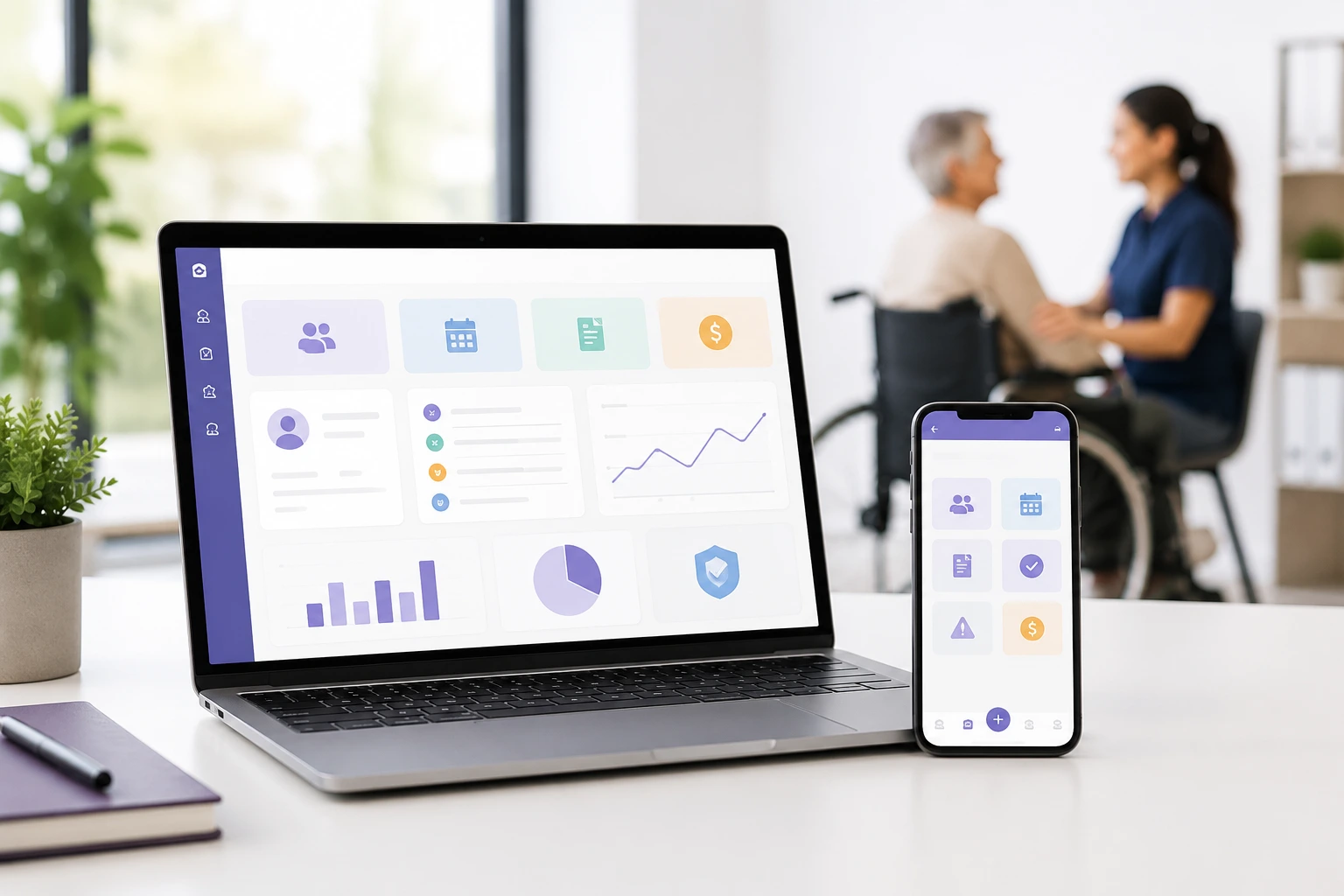
Disability care software brings participant records, rostering, service notes, incidents, claims and reporting into one connected system.
The main benefit: It reduces double handling and makes operational information easier to find, verify and act on.
The decision rule: Choose software around your services, compliance risks and frontline workflows—not the longest feature list.
Running an Australian disability service can involve hundreds of small but important actions each day. A worker accepts a shift. A participant’s support needs change. A progress note is recorded. An incident is escalated. An invoice is created. A payment request must be supported by accurate evidence.
When these actions happen in separate spreadsheets, inboxes, paper files and applications, gaps quickly appear.
Disability care software is designed to connect these activities. The right system can help an NDIS provider maintain clearer records, coordinate workers, monitor service delivery and prepare reliable information for claiming, reporting and audits.
It does not replace professional judgement, good governance or legal advice. It gives your team a more consistent way to complete and document the work for which it remains responsible.
Disability care software is a digital platform used to manage the operational, workforce, participant and financial activities of a disability service provider. It can combine participant records, rostering, progress notes, incidents, timesheets, invoicing, claims, compliance documents and reporting in one system.
The terms disability care software, NDIS software, care management software and provider management software are often used interchangeably. However, products vary considerably.
Some systems focus mainly on scheduling. Others provide client relationship management, clinical records or accounting. A complete NDIS provider platform normally connects several workflows so that information entered during service delivery can be reused for reporting, payroll, invoicing and claims.
The important word is connected. A collection of digital tools is not necessarily an integrated care management system.
Providers use disability care software to reduce repetitive administration, improve access to service records and coordinate participant, worker and financial information. It is especially valuable when a provider has outgrown spreadsheets or needs stronger controls around rostering, incidents, claiming and audit evidence.
Australian NDIS providers have specific record-keeping and payment responsibilities. They must keep full and accurate records of supports delivered, provide invoices after delivery and submit payment requests for NDIA-managed participants within the applicable time limit. The current provider guidance specifies a 90-day submission period.
This creates a simple operational requirement: a provider should be able to show what support was delivered, when it was delivered, who delivered it, what was charged and how the charge relates to the participant’s arrangements.
A connected system can make that chain easier to follow.
Consider a community access shift:
Without a connected process, each step may depend on manual re-entry. That increases the risk of inconsistent dates, missed notes, duplicate information and delayed billing.
No. Software can support compliant processes, but it cannot guarantee compliance. The provider remains responsible for its services, workers, policies, decisions, records and regulatory obligations. A system is useful only when its configuration, procedures, staff training and everyday use are appropriate.
Registered providers must meet the relevant NDIS Practice Standards. These standards establish quality requirements, but they do not prescribe one software product or remove the need for competent management.
A platform may help by:
However, a checkbox does not prove that a support was safe, appropriate or person-centred. Providers still need active supervision, accurate documentation and effective quality systems.
Treat claims such as “fully compliant” or “audit-proof” cautiously. Ask the vendor to demonstrate the specific controls supporting your registration groups and service model.
The best disability care software should support the complete path from participant onboarding to service delivery, worker management, documentation, invoicing and reporting. Essential features include participant records, rostering, mobile notes, incident management, claims, permissions, audit trails and reliable data export.
The platform should provide one reliable location for authorised users to access current participant information.
This may include:
Look for clear document dates, version history and access restrictions. Frontline workers should see the information they need without automatically receiving access to every record held by the organisation.
NDIS rostering software should do more than place names in calendar boxes.
A useful rostering system can help managers identify:
The SCHADS Award contains detailed rules covering ordinary hours, overtime, broken shifts, sleepovers and rest periods. Award interpretation is a specialised function, so providers should verify exactly what the platform calculates and what remains the responsibility of payroll staff. Fair Work’s SCHADS Award guidance should remain the authoritative reference.
Frontline adoption can determine whether an implementation succeeds.
A mobile application or mobile-friendly interface should allow workers to:
Test the worker experience during the buying process. Ask a support worker to complete a typical shift workflow without vendor guidance. If routine actions are confusing in a demonstration, they are unlikely to become easier during a busy weekend shift.
A progress note should document relevant, objective information about the support delivered and the participant’s progress, choices or changing needs.
Good software can encourage better records with:
Avoid systems that encourage generic copy-and-paste notes. Repeated wording may save time initially but can reduce the usefulness and credibility of the record.
Registered NDIS providers need an incident management system appropriate to the supports they deliver.
The NDIS Commission states that incident details and evidence must be recorded and stored in a way that protects the privacy and confidentiality of affected people. Its guidance gives the example of an electronic form completed within 24 hours.
A suitable software workflow may include:
Software should help a provider follow its approved procedure. It should not make the final regulatory judgement without accountable human review.
The system should connect delivered services to an accurate invoice or payment request.
Useful functions include:
The NDIA publishes the NDIS pricing schedule and pricing arrangements. The schedule effective from 1 July 2026 sets out support item numbers, names, units and relevant price information. Providers should verify that software updates are timely and that historical rates remain attached to services delivered before an update.
Budget tracking helps teams understand the relationship between scheduled supports, delivered supports, claims and remaining funds.
Depending on the provider’s role, software may show:
Budget information should be treated as decision support rather than an unquestionable source of truth. Delays, plan changes, external providers and reconciliation issues can affect what the platform displays.
Providers often need to track worker screening, qualifications, training and other employment records.
A platform may help monitor:
Ask whether expired or missing records merely generate a warning or can prevent a worker from being assigned to a relevant service.
Disability providers may hold sensitive health, behavioural, location and identity information. Security should therefore be a central selection criterion, not a final procurement question.
The Office of the Australian Information Commissioner advises organisations to take reasonable steps to protect personal information against misuse, loss and unauthorised access, modification or disclosure.
Ask prospective vendors about:
The Australian Cyber Security Centre describes multi-factor authentication as one of the most important measures organisations can implement.
Do not assume Australian hosting alone makes a platform secure or automatically compliant with the Privacy Act.
Reports should help managers make decisions, not simply create more data.
Useful reporting areas include:
During a demonstration, request a report using a realistic scenario. Confirm whether staff can filter, schedule and export it without purchasing a separate module.
A platform may need to connect with accounting, payroll, identity, communication or government systems.
Ask whether the integration is:
Also confirm that your organisation can export participant, worker, note, document, financial and audit information in a usable format. Data portability matters both during implementation and when ending a contract.
The NDIA now provides application programming interfaces for eligible registered providers, plan managers and software developers. Access and capability may differ between vendors, so ask for a precise explanation rather than relying on the word “integrated”.
A technically capable product can still fail if implementation is rushed.
Evaluate:
Request a written implementation plan. It should identify responsibilities, dependencies, migration stages, testing, training and the proposed go-live process.
The main benefits are reduced double handling, clearer service records, faster access to operational information and stronger coordination between office and frontline teams. A well-implemented platform can also improve billing visibility, reporting consistency and readiness for audits or participant reviews.
When rosters, attendance, notes and invoicing are connected, staff do not need to type the same participant, worker, date and support information into multiple systems.
Templates, required fields and approval workflows can reduce missing information. Managers can identify incomplete records before they affect claims, handovers or reporting.
Rostering teams can see availability, skills, leave and document status in one place. Workers receive clearer information about their shifts and required actions.
Connecting service delivery to invoicing helps providers identify delivered but unbilled services, claim errors and reconciliation issues earlier.
When authorised teams can access current participant information and previous records, knowledge is less likely to disappear when a staff member changes roles or leaves.
Incident, complaint, service and workforce trends can support internal reviews and continuous improvement.
These benefits depend on data quality. Automating an unclear process can reproduce the same problem faster.
The cost depends on the pricing model, participant numbers, staff numbers, required modules, implementation complexity and support level. Providers should compare total cost over at least three years rather than using the advertised monthly subscription alone.
Common pricing models include:
| Pricing model | How it works | Main consideration |
| Per user | Monthly fee for each active staff account | Cost can rise quickly with workforce growth |
| Per participant | Fee based on active participant records | May suit stable caseloads but increase as services expand |
| Tiered subscription | Fixed price within participant or usage limits | Check what happens at the next threshold |
| Module based | Base platform plus paid functions | Essential workflows may require several add-ons |
| Enterprise quote | Negotiated implementation and subscription | Requires detailed scope and contract review |
Calculate:
Subscription + implementation + migration + training + integrations + support + internal project time + future growth costs.
Ausvanta’s currently published plans use participant-based tiers with unlimited users. The public pricing page lists plans from $40 per month for up to 20 participants, with additional tiers for larger providers and enterprise pricing from $349 per month. Prices and inclusions can change, so providers should obtain a current written quotation before deciding.
The Ausvanta cost calculator can also be used to model participant and staff growth against illustrative per-user and per-participant pricing. Its comparison assumptions should be independently checked against current vendor quotations.
Start with your highest-risk workflows, document your requirements and test each platform using real scenarios. Compare usability, controls, data access, implementation and total cost—not only the number of features shown on a sales page.
Document how your organisation currently handles:
Identify where staff re-enter information or create manual workarounds.
Separate your requirements into:
A long unprioritised list makes every product appear inadequate and prevents meaningful comparison.
Ask each vendor to demonstrate the same scenarios:
Include workers, coordinators, finance staff and managers in the evaluation. A decision made only by senior management may overlook the actions performed hundreds of times each week.
Request written security and privacy information. Ask the vendor to identify what is included by default, what requires configuration and what remains your responsibility.
Confirm:
Review:
Obtain legal advice where appropriate.
A reference is most useful when the organisation has a similar service mix, workforce size and operational complexity.
Ask reference customers what was difficult, which workarounds remain and whether implementation required more internal time than expected.
The right product category depends on operational complexity. A sole trader may need straightforward scheduling and notes, while a multi-site SIL provider may require advanced rostering, incident controls, permissions, payroll integrations and detailed reporting.
| System type | Best suited to | Main limitation |
| Spreadsheets and paper | Very limited temporary workflows | Weak control, collaboration and auditability |
| Generic CRM | Referral and relationship management | Usually requires custom NDIS configuration |
| Rostering-only software | Workforce scheduling and attendance | Participant, compliance and claiming functions may be limited |
| All-in-one NDIS platform | Small to large providers seeking connected workflows | Requires structured implementation and staff adoption |
| Enterprise platform | Large or complex multi-service organisations | Higher cost and longer implementation |
| Custom software | Providers with unique, stable and well-defined processes | Development, security and maintenance responsibility |
Choose the least complex system that still manages your material risks and growth requirements.
A good demonstration should prove how the software handles your real work. Ask questions that expose limitations, manual steps, additional costs and areas where the vendor’s interpretation differs from your organisation’s requirements.
Ask:
A trustworthy vendor should be able to explain boundaries as clearly as benefits.
The most common mistakes are buying before mapping workflows, focusing on headline price, excluding frontline workers, assuming software guarantees compliance and failing to plan migration. These errors can leave providers paying for a platform while maintaining the spreadsheets it was meant to replace.
More features do not automatically produce a better fit. Prioritise the small number of workflows that materially affect safety, service quality, revenue and compliance.
Implementation is an opportunity to simplify. Do not reproduce an inefficient spreadsheet process simply because staff are familiar with it.
Duplicate participants, expired documents and inconsistent names should be addressed before import.
Giving broad access is convenient but risky. Define access around legitimate work requirements.
Staff need to know why the system is changing, what is expected and where to obtain help.
Test billing, payroll, permissions, reports, notifications, mobile use and data exports before the old system is retired.
Record a baseline before implementation. Measure outcomes such as missing notes, roster changes, unbilled services, claim rejections, support requests and time spent on routine administration.
A phased implementation reduces disruption. Begin with governance and data preparation, configure high-priority workflows, test them with representative users, train teams by role and monitor the first weeks of live operation closely.
The exact timeline depends on provider size, data quality and integration complexity. Large organisations may require substantially longer.
Ausvanta is an Australian NDIS provider management platform designed to bring participant information, staff, scheduling, notes, incidents, claiming and invoicing into one system. Its suitability depends on the provider’s service types, required integrations, controls, implementation needs and budget.
According to its published product information, Ausvanta includes smart rostering, worker mobile access, one-click NDIS claims, incident management, financial dashboards, role-based access and Australian data residency. The business states that the platform is hosted in Australia.
Ausvanta says it supports registered and unregistered providers, including SIL and SDA, support coordination, plan management, allied health, community access and individual support services.
Providers evaluating Ausvanta NDIS software for providers should still test their own workflows. In particular, confirm award interpretation, permission configuration, security controls, integrations, historical data migration, reporting, backup arrangements and data-export capability during the procurement process.
Disability care software should make essential work clearer, not merely move it from paper to a screen.
The strongest platform is one your workers can use consistently, your managers can govern confidently and your organisation can verify independently. It should connect service delivery to reliable records while giving each user access to the information required for their role.
Begin with your operational risks. Test realistic scenarios. Verify every material claim. Calculate total cost and plan implementation before signing.
Providers exploring a connected Australian platform can review Ausvanta’s published plans or contact the Ausvanta team to discuss how their existing workflows would be configured. A demonstration should be treated as an evaluation session rather than a sales presentation.
Disability care software is a platform that helps disability providers manage participant records, workers, rosters, service notes, incidents, timesheets, invoices, claims and reporting.
The terms overlap. NDIS software is designed specifically for Australian NDIS workflows, while disability care software can also describe systems used for broader disability and community services.
It can be used by sole traders, support coordinators, SIL providers, allied health practices, plan managers, community-access providers and larger multi-service disability organisations.
No. Software can support record keeping, permissions, reporting and workflows, but the provider remains responsible for complying with laws, standards and its own procedures.
The most important features are participant management, rostering, mobile notes, incident management, invoicing, claims, budget visibility, worker compliance, role-based permissions, audit logs and data export.
Costs vary by users, participants, modules, implementation and support. Compare the subscription, migration, training, integrations and future growth costs over several years.
Many platforms integrate with products such as Xero or MYOB, although some provide only file exports. Confirm the direction, frequency and additional cost of each integration.
Australian hosting can simplify data-residency considerations, but it is not the only security requirement. Providers should also assess encryption, permissions, MFA, backups, audit logs and breach response.
Many platforms provide a mobile application or mobile-friendly portal for viewing rosters, recording attendance, completing progress notes and reporting incidents.
Rostering software primarily manages shifts and workers. An all-in-one platform also connects participant records, notes, incidents, invoicing, claims, documents and reporting.
Start your free 14-day trial — unlimited users, no credit card required.