

How NDIS Software Saves Providers time comes down to one thing: replacing repeated manual work with connected workflows.
For many Australian providers, the biggest time savings come from rostering, case notes, invoicing, claims, compliance records and reporting.
The right NDIS software will not remove provider responsibilities, but it can make daily administration faster, clearer and easier to manage.
NDIS providers do not lose hours because one task is hard. They lose hours because the same information gets entered again and again.
A shift is created in one spreadsheet. A worker writes notes somewhere else. Finance checks the roster before preparing an invoice. Someone else checks whether the claim matches the service agreement. Then management tries to prepare reports from all of those disconnected records.
That is where NDIS software can save 10+ hours every week.
For Australian providers, the pressure is real. The NDIA says providers must keep complete and accurate records of NDIS supports delivered, including invoices, support logs, rosters, case notes and service agreements. Providers are also responsible for making sure payment claims are complete, truthful and accurate. (NDIS)
When that work happens across spreadsheets, emails, paper notes and separate apps, admin grows quickly. When it happens in one connected platform, the same information can move from roster to timesheet, from case note to participant record, and from delivered support to invoice.
This guide explains how NDIS software saves providers time, where the 10+ hours can come from, what features matter most, and how providers can calculate their own weekly admin savings.
NDIS software is a purpose-built system that helps disability service providers manage rosters, participant records, support notes, invoicing, claims, compliance tasks and reporting in one place. Unlike generic tools, it is designed around NDIS workflows, pricing rules, documentation needs and provider responsibilities.
Most NDIS providers start with simple tools. A spreadsheet for rosters. A folder for service agreements. A shared drive for documents. A separate accounting platform. A messaging app for staff updates.
That can work for a small team at the beginning. But as participant numbers grow, the cracks appear.
The usual problems include:
NDIS software reduces this by centralising the daily workflow.
Ausvanta, for example, describes its platform as NDIS software for Australian providers that brings rostering, case notes, incident reporting, and compliance into one system. Instead of forcing finance teams to double-handle data, it automatically generates claim-ready service records and clean billing data exports that seamlessly bridge the gap to your invoicing and claiming workflows. It also states that the platform is hosted in Australia and built for NDIS provider operations.
That matters because NDIS work is not just scheduling. It includes compliance, documentation, participant care, worker coordination, financial accuracy and privacy.
NDIS software saves providers time by reducing double handling, automating repeat tasks, improving record accuracy, and giving staff one place to manage daily work. The biggest savings usually come from rostering, timesheets, case notes, billing, claims, incident reporting and compliance reminders.
The phrase “10+ hours” should be treated as a practical estimate, not a guaranteed number. A sole trader may save less. A provider with multiple workers, many participants, group supports, SIL rosters or complex billing may save much more.
The key is volume. The more times your team repeats the same admin task, the more time software can save.
Here is a practical example.
| Admin Area | Manual Process | Software Workflow | Possible Weekly Saving |
| Rostering | Build shifts manually and message workers | Create recurring shifts and send updates | 2–4 hours |
| Timesheets | Match shifts against handwritten or emailed timesheets | Turn rostered shifts into timesheets | 1–2 hours |
| Case notes | Chase staff for notes after shifts | Staff enter notes from mobile | 1–3 hours |
| Invoicing | Recheck service dates, rates and line items | Pull billing data from delivered supports | 2–4 hours |
| Claims | Manually prepare and check payment requests | Use claim-ready service records | 1–3 hours |
| Compliance | Track documents in folders | Use expiry alerts and central records | 1–2 hours |
| Reporting | Build reports from scattered files | Use dashboards and filters | 1–2 hours |
For a small to mid-sized provider, these savings can easily reach 10+ hours each week when the system is used properly.
The real benefit is not just speed. It is fewer errors, less stress and better visibility.
Admin time builds up because NDIS providers need to prove what was delivered, when it was delivered, who delivered it, what it cost, and whether records support the claim. Every shift can create rostering, note-taking, billing, compliance and reporting work.
The NDIA’s provider responsibilities include charging within NDIS pricing arrangements, telling participants prices before supports are delivered, keeping full and accurate records, giving invoices after support delivery, requesting payment only after a support is delivered, and submitting payment requests for NDIA-managed participants within 90 days. (NDIS)
That creates a chain of work.
A provider needs:
If one part of the chain is missing, the admin burden grows.
For example, if a support worker forgets to submit a note, admin may need to chase them. If the roster does not match the invoice, finance may need to investigate. If a document expires, management may need to stop and fix a compliance risk.
NDIS software saves time by keeping that chain connected.
Rostering software saves time by turning repeated scheduling work into reusable workflows. Providers can create recurring shifts, match workers to participant needs, track availability, update rosters quickly, and reduce back-and-forth messages with staff.
Rostering is one of the fastest ways to lose admin time.
Manual rostering often involves checking staff availability, participant preferences, service agreements, travel time, cancellations, replacements and shift changes. When that happens in spreadsheets, small updates can create a lot of work.
A connected NDIS software platform can help providers:
Competitor pages in the NDIS software market often focus heavily on rostering because it is one of the most painful provider workflows. GoodHuman promotes NDIS rostering and automated invoicing based on real-time booking data, while ShiftCare highlights support worker apps, rosters, availability and progress notes for small providers. (goodhuman.me)
The opportunity for Ausvanta is to explain the practical time saving more clearly.
A provider with 20 support workers may spend several hours each week adjusting shifts, checking availability and sending messages. If software cuts even 30 minutes per day from rostering tasks, that is already 2.5 hours saved in a five-day week.
Mobile case notes save time by letting support workers record notes soon after a shift, instead of sending updates later through messages, email or paper forms. This improves record completeness and reduces the time office staff spend chasing missing information.
Case notes are not just paperwork. They are evidence of service delivery. They can support participant goals, incident reviews, plan reassessments, quality audits and internal supervision.
Manual note-taking creates common problems:
NDIS software helps by placing notes inside the participant record. A worker can log in, view the rostered shift, write the note and submit it from the field.
This saves admin time because office staff do not need to collect notes from five different channels. It also saves management time when preparing reports or responding to questions.
The NDIS Commission also expects registered providers to meet quality and safety standards through the NDIS Practice Standards, which set out the quality standards required for registered providers delivering supports and services. (NDIS Quality and Safeguards Commission)
Good records make those standards easier to demonstrate.
NDIS software reduces billing and claiming time by connecting delivered supports to invoices and payment requests. Instead of manually checking dates, rates, support items and participant details, admin teams can work from structured service records.
Billing is where small errors become expensive.
If a provider uses manual systems, finance may need to check:
The NDIS pricing schedule sets out appropriate and reasonable maximum prices for NDIS supports, and providers can use the pricing schedule to inform prices from 1 July 2026. (NDIS)
Manual price checking takes time, especially when pricing changes. Software can reduce this burden by keeping service records, rates and billing workflows closer together.
The NDIA also explains that bulk payment requests can be submitted through the myplace provider portal by completing and uploading a bulk payment request template. (NDIS)
That does not remove the need for accurate records. It makes accurate preparation even more important.
NDIS software helps finance teams move faster because the information is already structured. The roster, timesheet, note and service details are connected before invoicing begins.
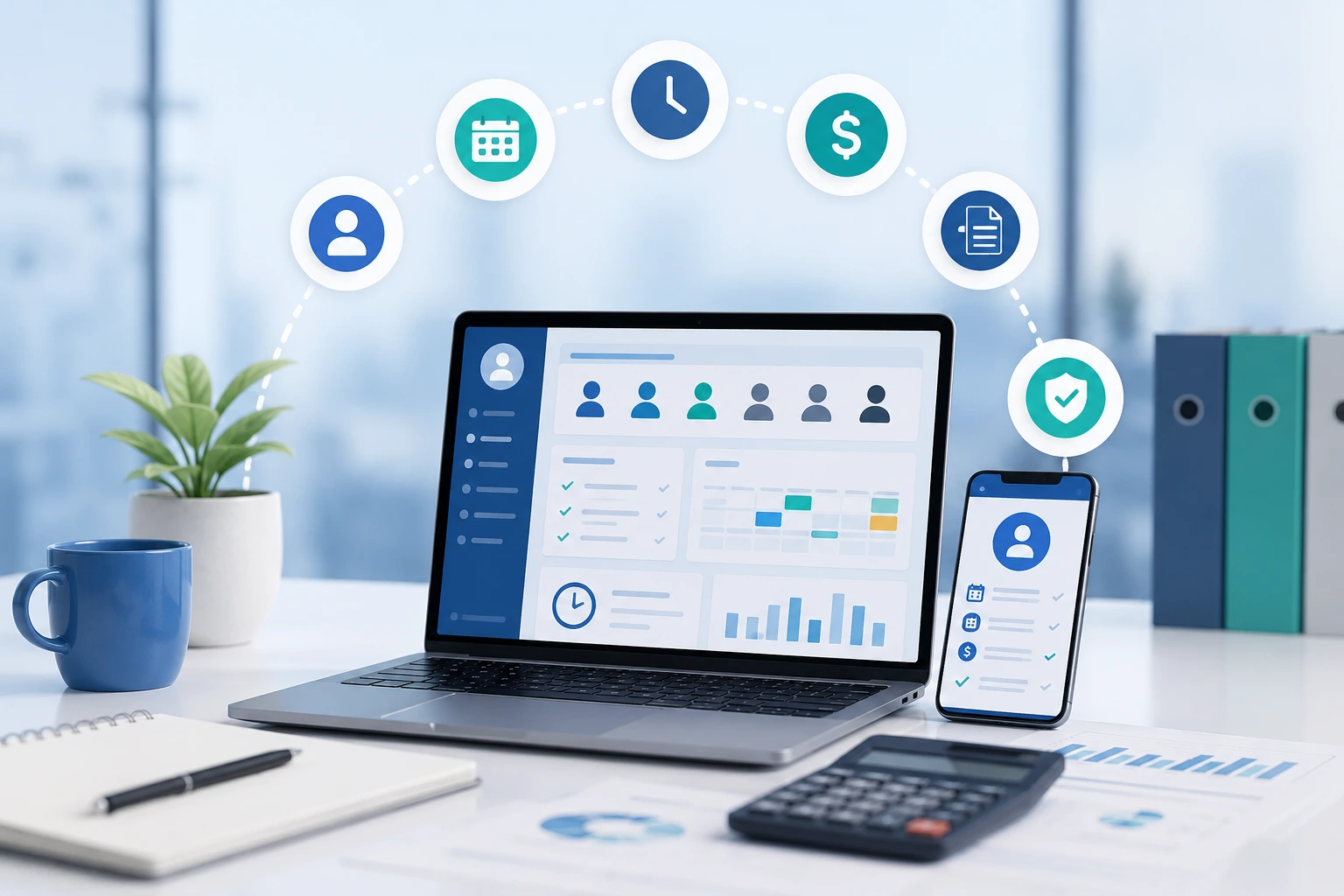
Compliance automation saves time by keeping documents, incidents, worker checks, participant records and review tasks organised throughout the year. Instead of rushing before an audit, providers can maintain evidence daily through alerts, templates and central storage.
Compliance should not be a last-minute folder clean-up.
Registered providers must have systems that show how they meet their obligations. The NDIS Commission says registered providers must have an incident management system as part of registration conditions and must report certain incidents to the Commission. (NDIS Quality and Safeguards Commission)
That means providers need more than good intentions. They need records.
A software system can help track:
This can save time in two ways.
First, staff spend less time searching for documents. Second, management spends less time fixing problems after they become urgent.
Competitors often mention compliance in broad terms. Riskonnect, for example, states that compliance software can save time through automated workflows, templates, frameworks and dashboards. (Riskonnect)
For NDIS providers, the stronger angle is practical: compliance software saves time when it turns audit preparation into daily habits.
Incident management software saves time by giving providers a clear process to record, review, escalate and report incidents. It reduces confusion about where records are stored and helps managers act faster when something serious happens.
Incidents are stressful. Admin should not make them harder.
Without software, incident details may sit in emails, handwritten forms, text messages or separate folders. That slows down review and increases the chance that important details are missed.
A better system helps providers:
The NDIS Commission states that all NDIS providers should have an incident management system, and registered providers must have one as a condition of registration. (NDIS Quality and Safeguards Commission)
This is a strong reason to choose software that includes incident workflows, not just rostering.
The time saving can be significant because incidents often require multiple people to collect facts, review records and document actions. A central system reduces that back-and-forth.

Reporting dashboards save management time by turning daily records into useful summaries. Providers can track shifts, notes, claims, incidents, participant activity and staff performance without building reports manually from spreadsheets.
Managers need visibility.
They need to know:
Without software, this takes hours. Someone has to export data, clean spreadsheets, compare files and prepare a report.
With connected NDIS software, the data is already there. Dashboards can turn that information into action.
This matters because the NDIS is large and data-driven. NDIA quarterly reports provide disability ministers with statistics about participants, jurisdictions, funding and provision of supports. (NDIS) Provider datasets also track active providers by state and territory, support class, disability type and participant age group, with data current as at 31 March 2026. (NDIS Data Research)
Providers do not need government-level reporting inside their business. But they do need timely data to manage risk, quality and growth.
The 10+ hours usually come from several small workflow improvements, not one big change. A provider may save two hours on rostering, two hours on billing, two hours chasing notes, one hour on compliance, and several more hours through fewer errors and faster reporting.
Here is a realistic weekly time-saving model for a growing provider.
| Workflow | Before NDIS Software | After NDIS Software | Weekly Time Saved |
| Roster creation and edits | 5 hours | 2 hours | 3 hours |
| Staff reminders and shift updates | 2 hours | 45 minutes | 1.25 hours |
| Chasing case notes | 3 hours | 1 hour | 2 hours |
| Invoice preparation | 4 hours | 1.5 hours | 2.5 hours |
| Claim checking | 2 hours | 1 hour | 1 hour |
| Compliance document tracking | 1.5 hours | 30 minutes | 1 hour |
| Reporting | 2 hours | 45 minutes | 1.25 hours |
| Total | 19.5 hours | 7.5 hours | 12 hours |
This example is not a promise. It is a planning model.
The actual number depends on:
The more manual your current workflow is, the larger the potential time saving.
NDIS software helps small providers by reducing the need to hire extra admin support too early. It gives sole traders and small teams a cleaner way to manage participants, rosters, documents, notes and invoices without relying on scattered tools.
Small providers often feel the admin burden most.
A large organisation may have a finance team, compliance officer and roster coordinator. A small provider may have one person doing everything.
That person may be:
NDIS software does not replace business judgement. But it can reduce repetitive work.
Careview’s NDIS software page for small providers focuses on saving time, improving accuracy, reducing administration and helping providers spend more time delivering quality services. (Careview) ShiftCare also notes that small NDIS businesses can struggle with paperwork and regulations, and that software can help with documentation, client records and care workflows. (ShiftCare)
For Ausvanta, this creates a useful positioning angle: software should not feel like enterprise complexity. It should help small teams get control before admin takes over.
NDIS software helps growing providers by standardising workflows before growth creates chaos. As participant numbers, workers and services increase, software gives management clearer systems for rostering, notes, billing, compliance and reporting.
Growth can be dangerous if operations are not ready.
A provider may win more participants but then struggle with:
Without a system, growth creates admin debt.
All-in-one platforms are popular because they reduce the number of tools providers need to manage. FlowLogic says many providers using traditional systems juggle five to seven different tools for day-to-day operations, which can lead to inefficiencies. (FlowLogic) GoodHuman also notes that providers often combine separate systems for client management, communications, payroll, finance, invoicing, rostering and workforce management. (goodhuman.me)
The time saving is not only in the software features. It is in having fewer systems to reconcile.
Spreadsheets can store information, but NDIS software manages workflows. A spreadsheet may hold rosters or participant details, but it usually cannot connect shift delivery, case notes, invoices, claims, compliance alerts and incident records in one secure process.
Spreadsheets are flexible. That is why so many providers use them.
But they are also fragile.
Common spreadsheet problems include:
NDIS software is different because it is built for repeatable operations.
| Feature | Spreadsheet | NDIS Software |
| Rostering | Manual | Structured and repeatable |
| Case notes | Separate file or form | Linked to participant |
| Timesheets | Manual matching | Connected to shifts |
| Invoicing | Manual calculations | Based on service data |
| Claims | Manual preparation | Claim-ready records |
| Compliance alerts | Usually manual | Automated reminders |
| Incident management | Separate forms | Central workflow |
| Reporting | Manual exports | Dashboard view |
| Access control | Limited | Role-based access options |
Spreadsheets may still have a place for planning. But they should not be the main system for a growing NDIS provider.
The most time-saving NDIS software features are smart rostering, mobile case notes, automated timesheets, invoice preparation, claim support, compliance alerts, incident management, participant records and reporting dashboards. These features reduce repeated admin and improve record accuracy.
When comparing software, providers should not look only at feature quantity. They should look at workflow quality.
A feature saves time only when staff actually use it.
The most useful features include:
This helps build and update schedules quickly. It saves time when recurring shifts, staff availability and participant needs are easy to manage.
This lets workers view rosters, submit notes and stay updated from the field. It reduces calls, texts and late paperwork.
This keeps key participant information in one place, including documents, goals, notes and service details.
This makes documentation faster and easier to find later.
This gives providers a structured process for recording, reviewing and following up incidents.
This saves finance time by using service delivery data instead of starting from scratch.
This helps prepare cleaner claims and reduce rework.
This helps track expiry dates, missing documents and review tasks.
This helps management see what needs attention without manual spreadsheet work.
Ausvanta’s public site lists smart rostering, incident management, time tracking, GPS-verified clock in/out, timesheets, claiming and invoicing as part of its NDIS provider software. (ausvanta.com.au)
That feature set aligns well with the workflows where providers usually lose the most hours.
Providers should check whether the software supports their service types, pricing workflows, participant records, mobile staff, compliance needs, incident management, reporting, privacy obligations, data migration and support. The best choice is the system your team can use consistently.
Before choosing a platform, ask these questions.
A SIL provider has different needs from a sole trader, support coordinator or allied health business. Check whether the platform suits your actual workflows.
Ausvanta says it supports registered and unregistered NDIS operations, including SIL, SDA, support coordination, plan management, allied health, community access and individual support providers. (ausvanta.com.au)
If support workers do not use the system, office admin will still chase notes. Mobile access is essential.
Ask whether rostered shifts can flow into timesheets, notes, invoicing and reports.
Check document storage, expiry alerts, incident workflows and audit evidence.
NDIS providers handle sensitive participant information. The OAIC explains that sensitive information has a higher level of privacy protection than other personal information, and health information is treated as one of the most sensitive types of personal information. (OAIC)
Per-user pricing may become expensive as your team grows. Flat-rate or participant-based pricing may suit providers wanting predictable costs.
Ausvanta’s pricing information shows flat-rate plans with unlimited users on each plan, starting at low monthly pricing for smaller providers and scaling by provider size. (Cognify Digital)
To calculate your own weekly time savings, list every repeated admin task, record how long it takes, estimate how often it happens, then compare that with the software workflow. Focus on tasks done every day or every week, because small savings compound quickly.
Use this simple method.
Write down the admin tasks your team repeats every week.
Examples:
Ask staff how long each task takes. Use real numbers, not guesses where possible.
Look for tasks where the same information is copied between systems.
For example:
During a demo, ask the vendor to show exactly how that task works.
Do not ask, “Can the software do invoicing?”
Ask, “Can you show me how a completed shift becomes an invoice-ready record?”
After 30 days, compare the old admin time with the new time. This helps prove whether the software is saving time.
Common mistakes include buying software without mapping workflows, skipping staff training, keeping old spreadsheets alive, choosing features over usability, ignoring data migration and failing to check privacy or compliance needs.
NDIS software saves time only when it becomes the main workflow.
Avoid these mistakes.
If staff still update spreadsheets after moving to software, admin time may increase instead of decrease.
Mobile notes save time only when workers know how to use them.
A cheap tool that does not handle compliance, claims or reporting may cost more in admin time later.
Poor participant records, wrong staff details and outdated service agreements can weaken the system from day one.
Privacy must be treated seriously. The Australian Privacy Principles are principles-based laws that guide how organisations handle personal information, and breaches can lead to regulatory action and penalties. (OAIC)
Complex software can create friction. Choose a platform that fits your team’s maturity and growth stage.
A growing NDIS provider may start the week with roster edits, missing notes, invoice checks and compliance reminders. With software, those tasks become visible in one place, so the team spends less time chasing information and more time improving service delivery.
Here is a realistic scenario.
Before software, the provider uses:
Every Friday, admin spends hours matching shifts, notes and invoices. Managers chase missing documents. Finance checks support items manually. Staff ask for roster updates in messages.
After software, the provider uses one system.
Workers see their shifts. They submit notes from the field. Admin reviews exceptions. Finance prepares invoices from delivered supports. Compliance documents have expiry reminders. Management can see missing notes and open incidents.
The provider may not remove every admin task. But it removes unnecessary chasing, copying and checking.
That is where the 10+ hours come from.
Time savings improve participant care because staff spend less time on avoidable admin and more time on service quality, communication, planning and follow-up. Better records also help providers understand participant goals, risks and support history.
The goal of NDIS software is not to make providers “more digital” for the sake of it.
The goal is better service delivery.
When admin pressure drops, providers can spend more time on:
This is important because the NDIS exists to support people with disability, not to create paperwork. The NDIA describes its role as implementing the National Disability Insurance Scheme. (NDIS) The administrative system should support that purpose, not bury providers under disconnected tasks.
Good software helps by making the operational work easier to manage.
NDIS software is usually worth it when manual admin is costing more than the software subscription, creating errors, slowing claims, increasing compliance stress or limiting growth. The value is strongest when the platform reduces repeated work across multiple teams.
To decide if it is worth it, compare cost against saved time.
For example, if an admin worker costs the business $35 per hour and the software saves 10 hours per week, that is $350 in weekly capacity. Over a month, that is about $1,400 in time value.
That does not mean every provider will save exactly that amount. It simply shows how fast admin savings can become meaningful.
Also consider non-financial value:
Ausvanta’s public pricing highlights unlimited users on every plan and flat-rate pricing, which may appeal to providers that want software costs to stay predictable as staff numbers grow. (Cognify Digital)
For many providers, predictable pricing plus reduced admin can make the investment easier to justify.
NDIS software saves providers time by connecting the work that usually sits in separate places. Rosters, notes, timesheets, invoices, claims, incidents, documents and reports become part of one workflow instead of separate admin jobs.
The best time savings come from removing double handling.
A good platform should help your team:
For Australian providers, this is not just about convenience. It supports better records, stronger compliance habits and more time for participant-focused work.
Ausvanta is built for Australian NDIS providers that want to streamline rostering, case notes, incident reporting, and billing preparation in one platform. By turning daily support logs into clean, claim-ready data exports, it removes the friction from your invoicing workflow. Providers exploring ways to reduce admin time can review Ausvanta’s resources, compare workflows, or book a demo to see where their own 10+ hours may be hiding.
Start your free 14-day trial — unlimited users, no credit card required.