To Automate NDIS Staff Rostering, start with clean participant, staff, award and service data.
Automation should not replace human care judgement.
It should reduce manual admin, flag roster risks, improve communication and help providers deliver safer, more consistent support.
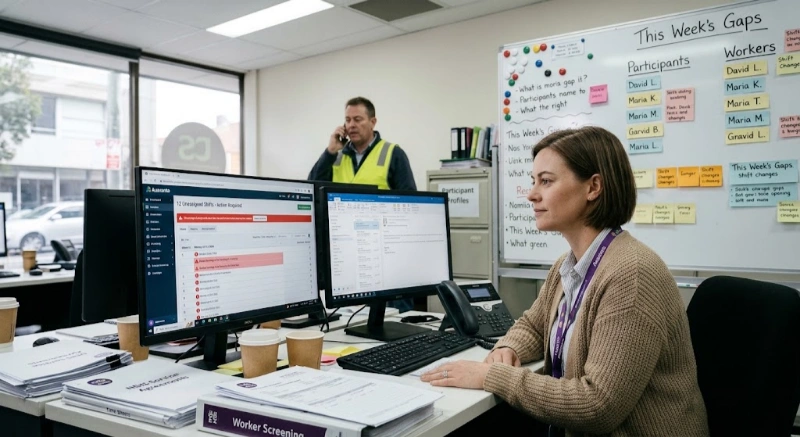
NDIS staff rostering becomes hard when a provider grows beyond a handful of participants and support workers. A spreadsheet may work at the start. Then shifts change, workers call in sick, participant preferences matter, travel time increases, notes go missing, and payroll starts depending on manual checks.
That is where automation helps. The goal is not to “set and forget” your roster. The goal is to build a reliable system that matches the right worker to the right participant at the right time, with clear records behind every shift.
This matters more in Australia because NDIS providers must operate in a regulated environment. The NDIS Practice Standards set quality standards for registered providers, while the NDIS Code of Conduct applies to both registered and unregistered providers and workers. (ndiscommission.gov.au)
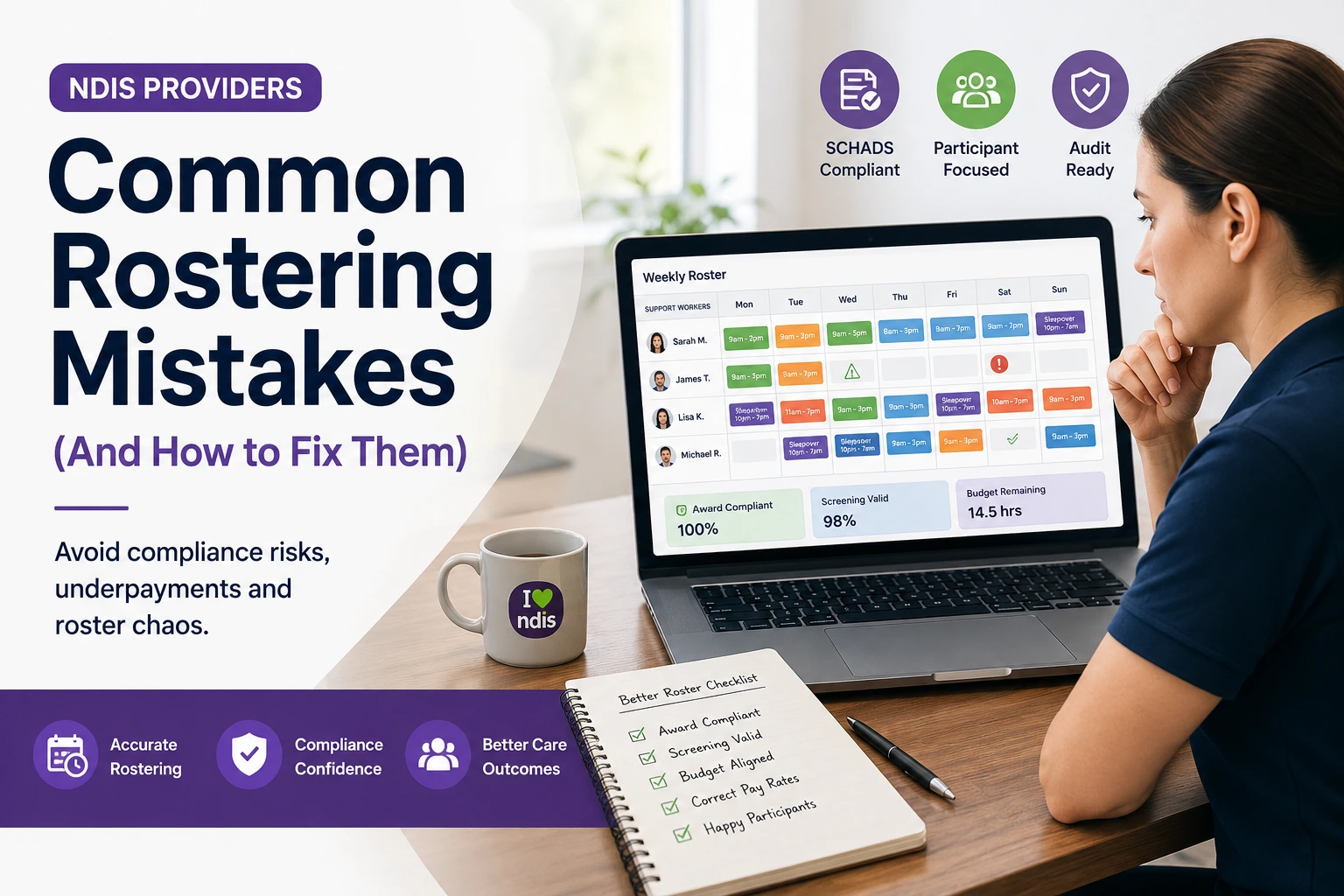
Automated NDIS staff rostering is the use of software rules, templates, worker data and participant information to create, update and manage shifts with less manual handling. It helps providers match availability, skills, preferences, location, funding rules, notes and compliance checks before a shift is confirmed.
In simple terms, automation turns rostering from a weekly guessing game into a controlled workflow.
Instead of manually checking five places before assigning one worker, your rostering system can help check:
| Rostering factor | Why it matters |
| Staff availability | Avoids clashes and unavailable shifts |
| Participant preference | Supports continuity and choice |
| Worker skills | Helps match care needs safely |
| Location and travel | Reduces late arrivals and unpaid gaps |
| Shift type | Supports sleepovers, active nights and community access |
| Award rules | Helps avoid overtime and break issues |
| Funding and service type | Reduces billing and claim errors |
| Notes and handovers | Keeps workers informed before support starts |
This is especially useful for providers delivering in-home support, community access, allied health, SIL, SDA-related supports, support coordination or mixed service models.

NDIS staff rostering is not the same as rostering a café, retail shop or office team. Each shift involves a participant’s needs, worker suitability, service agreement details, location, risk level, notes, funding category and sometimes complex award conditions.
The NDIS workforce has also faced long-running pressure. The NDIS Review reported that around 325,000 workers supported NDIS participants, families and carers in 2021–22, and that many providers found it difficult to find and retain skilled workers.
That pressure shows up inside the roster. It creates problems such as:
The NDIS Review also noted that 43% of NDIS workers felt burned out at least half the time in their job.
Automation cannot fix every workforce issue. However, it can reduce avoidable pressure by making rosters clearer, fairer and easier to manage.
Current search results show that NDIS rostering content is shifting from “simple scheduling” to “connected operations”. Providers are no longer looking only for a calendar. They want rostering connected to compliance, case notes, mobile workers, timesheets, billing and reporting.
Competitor pages show six common themes:
| Market theme | What competitors commonly cover |
| Mobile staff access | Workers need schedules, notes and updates in the field |
| Compliance | Rosters should support Practice Standards, records and audit trails |
| Shift matching | Participant needs, worker skills and preferences matter |
| Payroll connection | Timesheets, breaks, penalties and allowances need attention |
| Billing connection | Rosters should flow into invoices and claims |
| Scale | Providers need better systems as teams grow |
LinkedIn conversations also show strong industry concern around spreadsheets, disconnected software, last-minute changes, ignored worker availability, burnout, compliance gaps and admin overload. These are useful market signals, not official statistics. (LinkedIn)
The content gap is clear. Providers need more than “buy rostering software”. They need a step-by-step path for safe automation.
An NDIS provider should automate rostering when manual scheduling starts creating missed shifts, payroll errors, duplicated data entry, staff frustration or poor visibility across participants and teams. A provider does not need to be large before automation becomes useful.
A good trigger point is when one person can no longer answer these questions quickly:
Small providers often delay automation because they think software is only for larger organisations. In reality, automation becomes easier when introduced early. It prevents messy habits from becoming normal.
Ausvanta, for example, positions itself as NDIS software for Australian providers that brings rostering, case notes, incident reporting and compliance records into one platform. Its site also states that it is hosted in Australia. (ausvanta.com.au)
The safest way to automate NDIS staff rostering is to move in stages. Start with your data, then build roster rules, then test automation on low-risk shifts before expanding across more complex services.
Automation is only as good as the data behind it. Before you automate, check participant profiles, staff details, availability, worker skills, service types, travel zones, emergency contacts, funding details and key preferences.
Create a simple data checklist:
| Data type | What to confirm |
| Participant profile | Name, contact, service location, preferences |
| Support needs | Personal care, transport, behaviour support, high intensity needs |
| Worker profile | Role, skills, checks, training, availability |
| Service agreement | Support type, frequency, budget limits |
| Risk notes | Triggers, communication needs, safety alerts |
| Shift notes | Instructions workers need before arrival |
| Travel details | Distance, timing, location clusters |
| Billing rules | Support item, rate, cancellation rules where relevant |
Do not automate a messy spreadsheet. Clean the foundation first.
Before building rules, write down how your rostering actually works today. Include the messy parts, not just the ideal process.
Map these stages:
This reveals where automation should help first. For many providers, the biggest wins are recurring shifts, shift reminders, worker availability, mobile updates and timesheets.
NDIS rostering is not only about filling an empty shift. It is about matching people well.
A practical matching rule may include:
| Matching rule | Example |
| Required skills | Manual handling, medication support, behaviour support |
| Participant preference | Preferred worker, gender preference where appropriate |
| Continuity | Same worker for routine personal care shifts |
| Location | Worker lives near the participant or shift route |
| Availability | Worker is available and not already booked |
| Fatigue risk | Worker has enough break between shifts |
| Training | Required induction or participant-specific training completed |
The NDIS Code of Conduct requires supports to be provided in a safe and competent manner with care and skill. Matching rules help make that practical inside the roster. (ndiscommission.gov.au)
Your roster should support payroll accuracy. It should not rely only on someone spotting issues at the end of the pay cycle.
The Fair Work Ombudsman explains that SCHADS Award employees are typically entitled to at least a 10-hour break between shifts, although this can be reduced to 8 hours by agreement in some cases. It also states that sleepover periods do not count as a break between rostered shifts. (Fair Work Ombudsman)
Broken shifts also need care. Fair Work states that a broken shift can span a maximum of 12 hours, employees must receive at least 10 hours before the next shift or broken shift, and part-time and casual employees receive at least two hours’ pay for each period of work in a broken shift. (Fair Work Ombudsman)
Automation should help flag:
Always confirm payroll settings with a qualified payroll, HR or employment law adviser. Software should support compliance, not replace professional advice.
Many NDIS supports repeat weekly. For example, a participant may need community access every Tuesday, personal care every morning, or SIL coverage across a weekly pattern.
Roster templates save time by letting you create approved patterns once and repeat them.
Use templates for:
The key is to treat templates as drafts, not final truth. Review them before publishing. Participant needs can change.
Support workers spend most of their time away from a desk. If the roster only lives in the office, communication slows down.
Mobile access helps workers:
Ausvanta says its platform is designed so field staff can access what they need away from the office, log notes and stay connected to schedules. (ausvanta.com.au)
This matters because real-time visibility reduces back-and-forth calls. It also creates better records.
Rostering automation becomes much more useful when it connects to the rest of your operation.
A shift should not be an isolated calendar event. It should connect to:
The NDIS pricing schedule sets out support item numbers, names, units and recommended maximum prices, and the NDIA states providers should discuss proposed price changes with participants before changes are made. (NDIS)
When roster data connects to billing and claims, providers reduce double entry. They also make it easier to review what was delivered, when, by whom and under which support item.
Manual rostering works for very small teams, but it becomes risky as services grow. Automated rostering gives providers more control, better visibility and cleaner records.
| Area | Manual rostering | Automated rostering |
| Shift creation | Built one by one | Created from templates and rules |
| Worker matching | Based on memory | Based on availability, skills and preferences |
| Shift updates | Calls, texts and emails | Real-time notifications |
| Timesheets | Manual forms or spreadsheets | Linked to clock-in and clock-out |
| Notes | Stored separately | Attached to shifts and participants |
| Compliance checks | Easy to miss | System can flag risks |
| Reporting | Time-consuming | Dashboards and exports |
| Scaling | Breaks under pressure | Easier to repeat and manage |
The biggest difference is visibility. Automation gives managers a live view of what is happening, not a delayed view after things go wrong.
Good NDIS rostering software should include staff scheduling, participant matching, mobile access, timesheets, notes, reporting, role-based access and compliance-supporting records. The best system should fit your workflow instead of forcing your team to work around the software.
Look for these features:
| Feature | Why it matters |
| Smart rostering | Speeds up shift creation |
| Staff availability | Reduces clashes |
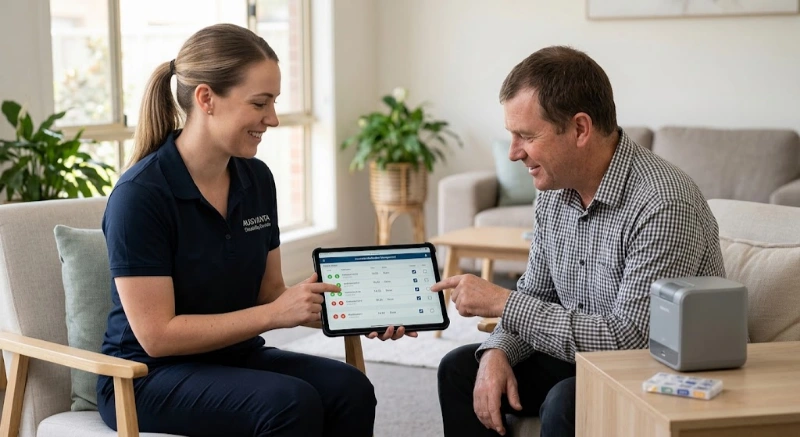
| Worker mobile app | Supports field staff |
| Participant records | Keeps support context close |
| Case notes | Improves handover quality |
| Time tracking | Supports timesheet accuracy |
| Incident management | Helps record and manage issues |
| Audit-ready compliance | Supports reviews and internal checks |
| Role-based access | Protects sensitive information |
| Financial dashboards | Improves management visibility |
| Claims support | Reduces admin between delivery and payment |
Ausvanta’s pricing page lists features such as smart rostering, worker mobile app, one-click NDIS claims, incident management, real-time financial dashboards, audit-ready compliance and role-based access. (ausvanta.com.au)
Automation should be built around compliance from the beginning. Providers should consider NDIS Practice Standards, Code of Conduct duties, SCHADS rules, incident management, worker training, privacy, participant consent and audit records.
The NDIS Practice Standards specify quality standards that registered providers must meet. They include modules such as the core module, supplementary modules and verification module, depending on services delivered. (ndiscommission.gov.au)
For rostering, this means your system should help show:
The Code of Conduct requires safe, ethical supports and applies to registered providers, unregistered providers, key personnel and workers. It includes duties such as respecting privacy, acting with integrity, providing safe and competent services, and acting on concerns. (ndiscommission.gov.au)
Rostering supports the Code when it prevents unsafe matches, rushed handovers, missing notes and avoidable worker fatigue.
The NDIS Commission says incidents that occur during NDIS support delivery need to be identified, assessed, recorded, managed and resolved while keeping the person with disability safe, respected and informed. Registered providers must also have an incident management system as part of registration conditions. (ndiscommission.gov.au)
Your roster should make incident recording easy. If an issue happens during a shift, the worker should not need to search for the right form.
The NDIS Commission provides online learning modules, including the Worker Orientation Module, which explains worker obligations under the NDIS Code of Conduct. It also provides new worker induction modules for staff who may be new to the disability sector. (ndiscommission.gov.au)
Your rostering system should track training expiry dates, participant-specific inductions and required skills.
From 1 July 2026, supported independent living and NDIS digital platform providers need to register with the NDIS Commission. The Commission says registration helps identify quality and safety issues, respond to compliance matters early and reduce risks to participants. (ndiscommission.gov.au)
This increases the need for clean operational records, especially for SIL providers.
Before automation, a small provider has 12 workers and 28 participants. Rosters are managed in spreadsheets. Workers receive shifts through text messages. Notes are stored in email threads. Timesheets are checked manually every fortnight.
Problems appear quickly:
After automation, recurring supports are templated. Staff update availability through the system. Workers receive mobile notifications. Clock-in and notes are attached to shifts. Managers review exceptions instead of rebuilding every shift.
This does not remove every problem. But it changes the admin role from “chasing everything” to “managing exceptions”.
The most common mistake is treating automation as a quick software switch. A safer approach is to fix workflow, data, rules and team habits before expecting software to solve everything.
Avoid these mistakes:
| Mistake | Better approach |
| Importing messy data | Clean participant and staff records first |
| Automating every shift at once | Start with recurring low-risk shifts |
| Ignoring staff feedback | Ask workers what makes shifts hard |
| Relying only on AI | Keep human approval for complex matches |
| Forgetting award rules | Build payroll checks early |
| Skipping training | Train admin and field workers separately |
| No audit process | Review roster changes weekly |
| Poor mobile adoption | Make the mobile app part of daily workflow |
| No exception rules | Decide what happens when automation cannot match a shift |
| Not reviewing results | Track missed shifts, overtime and notes completion |
Automation should make the provider more accountable, not less.
A strong rostering workflow should be clear enough for new admin staff to follow and flexible enough for real-life care changes. Build the workflow around participant safety, worker clarity and record quality.
Use this simple model:
Measure rostering automation by safety, time, accuracy and experience. The best signs are fewer missed shifts, faster roster publishing, cleaner timesheets, better note completion and less pressure on coordinators.
Track these metrics:
| Metric | Why it matters |
| Unfilled shifts | Shows workforce gaps |
| Late shift changes | Shows instability |
| Missed clock-ins | Shows mobile adoption issues |
| Notes completion rate | Shows record quality |
| Timesheet correction rate | Shows payroll accuracy |
| Overtime trend | Shows workload pressure |
| Participant continuity | Shows relationship stability |
| Worker utilisation | Shows workload balance |
| Incident response time | Shows safety process strength |
| Admin hours saved | Shows operational impact |
Do not only track cost. In disability support, quality and continuity matter too.
The cost of automation depends on provider size, number of participants, required features, onboarding support, integrations and whether the platform charges per user, per participant or by plan.
Ausvanta prices by active participants, with unlimited users on every plan: its tiers run from Starter (1–20 active participants) to Enterprise. Current prices are on the Ausvanta pricing page.
When comparing cost, ask:
Cheap software can become expensive if it creates rework. Expensive software can still be poor value if your team does not use it properly.
AI can support NDIS rostering, but it should not make unchecked care decisions. It is best used to suggest matches, flag risks, identify patterns and reduce repetitive admin while humans approve sensitive or complex decisions.
Good AI use cases include:
Poor AI use cases include:
Use AI as a decision-support tool, not a replacement for provider responsibility.
Automating NDIS staff rostering is not just about saving admin time. It is about building a safer, clearer and more sustainable way to deliver supports.
The right system helps providers see roster gaps earlier, match workers more carefully, reduce payroll stress, improve mobile communication and keep better records. That supports staff, participants and management at the same time.
For Australian NDIS providers, the best place to start is simple: clean your data, map your workflow, automate recurring shifts first, and keep human oversight where participant safety or worker wellbeing is involved.
Ausvanta helps Australian NDIS providers manage rostering, case notes, time tracking, incident records and compliance workflows in one platform. Explore Ausvanta’s NDIS software resources or book a demo when you are ready to simplify daily operations.
It means using software to create, manage and update staff rosters with rules for availability, skills, participant preferences, shift type, notes, timesheets and compliance checks.
No specific software is mandated. However, providers must meet their relevant obligations, such as quality standards, Code of Conduct duties and record-keeping expectations.
Yes. Small providers can automate recurring shifts, staff availability, mobile updates and timesheets before they become overwhelmed by manual admin.
The biggest benefit is visibility. Providers can see unfilled shifts, staff clashes, missing notes and timesheet issues earlier.
No. Automation supports coordinators by reducing repetitive admin. Human review is still important for complex participant needs, risk decisions and worker wellbeing.
It can help flag possible issues such as short breaks, broken shifts, overtime risk and shift allowances. Payroll settings should still be checked by a qualified adviser.
You need accurate participant records, staff profiles, availability, skills, checks, training, service agreements, support needs, locations and billing details.
Mobile access lets workers view shifts, receive updates, access notes, clock in and out, submit case notes and stay connected while working in the field.
Start with clean data and recurring low-risk shifts. Then test templates, notifications, worker confirmations and timesheets before automating complex supports.
Yes. It can improve continuity, reduce missed shifts, support better worker matching and make key support information easier to access before each shift.
It should connect with participant records, staff profiles, case notes, incident records, timesheets, payroll review, invoicing, claims and reporting.
AI can help suggest matches and flag risks, but it should not make unchecked care decisions. Human oversight is essential.
Start your free 14-day trial — unlimited users, no credit card required.