Key Takeaways
NDIS roster management usually breaks in seven places: last-minute absences, double bookings, poor worker matching, outdated availability, missed shifts, patchy records and reactive planning. Most are process problems before they are software problems. Build a replacement ladder, check clashes and credentials before publishing, require shift acceptance, log every change and review your fill-rate weekly. Rostering software such as Ausvanta speeds this up, but a person still makes the final call.
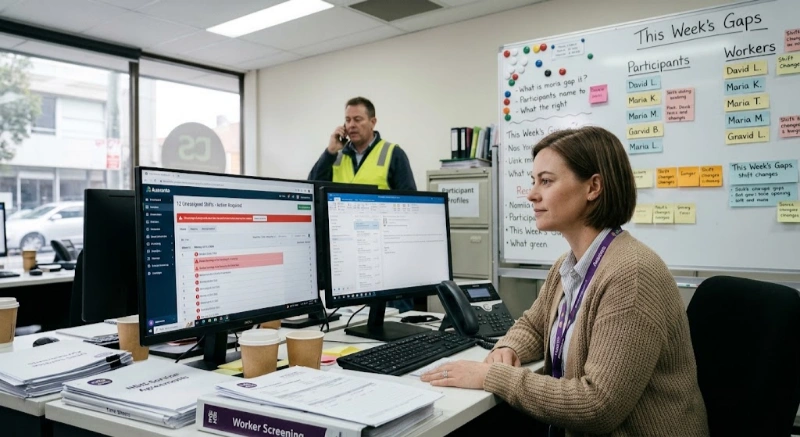
A support worker calls in sick at 6:40 am. The participant needs help getting ready for work, the one worker who knows their routine is unavailable, and your rostering coordinator is already chasing two other gaps. The problem is rarely effort. It is that the roster depends on memory, text messages and goodwill instead of a repeatable process.
This guide walks through seven common NDIS roster management problems and a practical fix for each. If you are weighing up tools as you read, Ausvanta's rostering and scheduling software is built for these situations.
NDIS roster management is the process of scheduling support workers to deliver participants' supports at agreed times, while accounting for worker availability, skills, screening, award rules and service agreements. Done well, it keeps supports reliable and records accurate. Done poorly, it causes missed shifts, award breaches and claims that do not match what was delivered.
| # | Problem | Warning sign | First fix |
|---|---|---|---|
| 1 | Last-minute absences | Coordinator phoning round at 6 am | A written replacement ladder |
| 2 | Double bookings | Two shifts, one worker, same hour | One roster, checked before publishing |
| 3 | Poor worker matching | Same few workers on every hard shift | Skills and preference profiles |
| 4 | Availability and shift changes | Changes agreed by text, roster not updated | One change process, one deadline |
| 5 | Missed shifts and comms gaps | "I didn't know I was on" | Track acceptance, not just publishing |
| 6 | Roster change records | Can't explain who changed what | A simple change log |
| 7 | Reactive planning | Every week feels like a crisis | A 20-minute weekly review |
Absences are inevitable. The damage comes from improvising each time. When the only plan is "ring around until someone says yes", the same reliable workers get burnt out and participants wait for answers.
How to solve it: write down a replacement ladder and use it every time:
Set a decision time for each step so nobody spends an hour on step one. Where you rely on casual or contracted workers to fill gaps, make sure the arrangement is genuine; our guide to subcontracting vs direct hiring covers the risks.
Where software helps: Ausvanta ranks workers for each shift once the participant and times are set, and the dashboard shows your unassigned-shift count, so gaps are visible before they become emergencies. You still choose who to send.
Double bookings happen when the roster lives in more than one place, when travel time between participants is ignored, or when a recurring series is changed for one week but not the next.
How to solve it:
Ausvanta offers day, week, month and workers calendar views, which make clashes and coverage gaps easier to spot than a spreadsheet does. For SIL households with several workers on one timeline, see our guide to NDIS software for SIL providers.
Filling a shift with whoever is free is the fastest way to a complaint. Good matching considers skills, experience with specific supports, participant preferences, gender or cultural preferences where requested, and continuity.
How to solve it:
The roster is only as accurate as the availability behind it. Changes agreed informally create the "I thought I was off" conversations.
How to solve it:
Using recurring shifts in Ausvanta means a standing arrangement is set once instead of re-keyed every week, which removes a common source of drift.
Publishing a roster is not the same as a worker knowing about it. Missed shifts often trace back to a message nobody confirmed.
How to solve it:
Ausvanta tracks each worker's acceptance on the roster. The worker mobile app lets support workers view shifts and accept offers; it is currently available on Android as a beta, with iOS not yet released. If you want to verify attendance as well as acceptance, see the time tracking and GPS compliance guide.
A roster that changes constantly but explains nothing is a risk at audit and at claiming time. Claims should match the supports actually delivered, so the gap between rostered and worked hours matters.
How to solve it:
In Ausvanta, completed shifts flow into timesheets ready for approval, which cuts re-keying. For the downstream effects, read our NDIS claims process explainer and audit preparation checklist.
Most roster chaos is visible a week ahead. The fix is a short, regular review.
A 20-minute weekly review:
Track the same four numbers every week. Trends show whether you need more casuals, better availability data or different standing arrangements. For the wider picture, see how technology helps NDIS providers.
Software will not fix an unclear process, but the right tool makes a good process easier to follow. Ask any vendor, including us:
See how Ausvanta handles recurring shifts, ranked worker suggestions and acceptance tracking:
How do I handle last-minute absences in NDIS rostering? Use a written replacement ladder: established backup worker, workers who know the participant, qualified casuals, an open shift offer, then escalation to the participant or family. Set a time limit for each step and record the outcome.
How can I avoid double bookings? Keep one roster as the source of truth, update it the same day any change is agreed, allow for travel time, and review the workers' calendar view before publishing each week.
What does the SCHADS Award say about breaks between shifts? Generally a 10-hour break is required between shifts, with limited exceptions linked to sleepovers. Broken shifts have a 12-hour span limit. Check the Fair Work Ombudsman for current rules.
Do support workers need a screening clearance before being rostered? Registered providers must ensure workers in risk-assessed roles hold an NDIS worker screening clearance. Verify status before rostering and keep records.
Is there a worker app for accepting shifts? Ausvanta's worker mobile app lets workers view shifts and accept offers. It is available on Android as a beta; iOS is not yet available.
Award conditions, allowances and NDIS rules change. Confirm current requirements with the Fair Work Ombudsman and the NDIS Quality and Safeguards Commission.
Start your free 14-day trial — unlimited users, no credit card required.