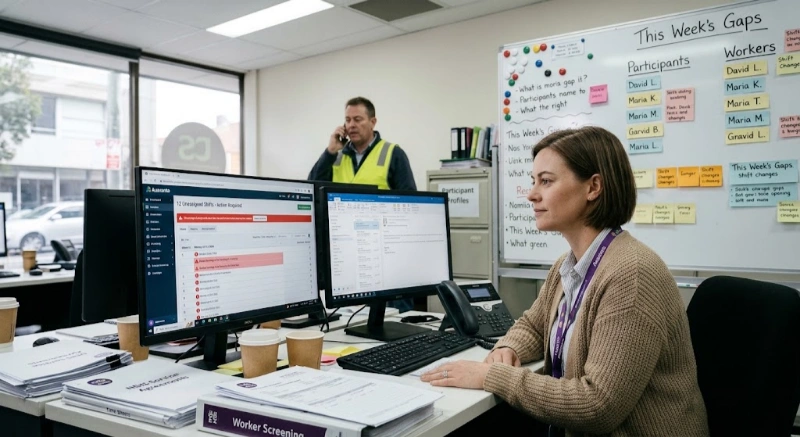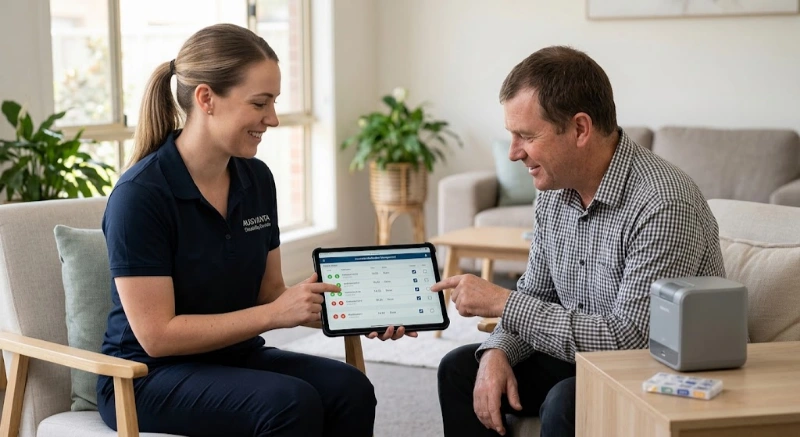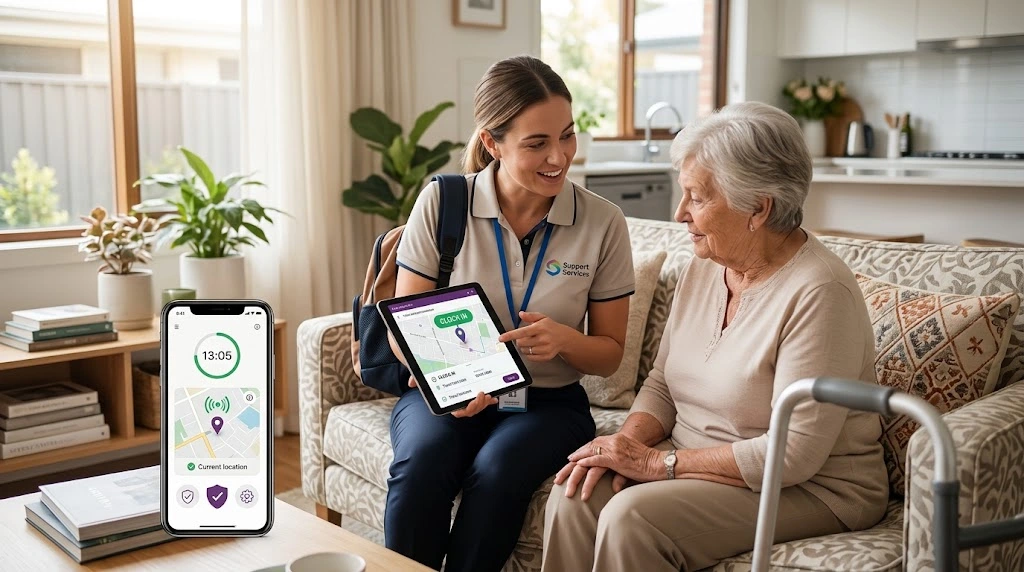
Time tracking & GPS in NDIS software solves one problem: proving a support actually happened, where and when it should have.
For Australian NDIS providers, that proof now sits at the centre of payroll, compliance and audit readiness.
Paper timesheets and rough estimates create real risk. Unpaid travel time can breach the SCHADS Award. Thin, unverifiable records can fall short of NDIS Commission expectations. Either one can trigger a Fair Work claim or an uncomfortable audit conversation.
GPS-verified time tracking helps close that gap. It captures a worker's actual arrival and departure at each client's location, builds the timesheet automatically, and gives coordinators extra evidence to act on quickly.
This guide covers how the technology works, what Australian privacy and surveillance law requires before you switch it on, how it interacts with SCHADS Award pay rules, and how to choose and roll out a system your workforce will actually use.
Time tracking & GPS in NDIS software is a feature that records a support worker's location at clock-in and clock-out and compares it with the scheduled client address. It replaces manual, paper-based timesheets with location-stamped records, then turns approved shifts directly into payroll-ready hours.
It usually sits alongside rostering and scheduling in a broader NDIS software platform, so the planned shift and the actual shift can be compared automatically.
The core idea is simple. A support worker's phone records where they are. The system compares that to where they were scheduled to be. Everything else — timesheets, payroll exports, supporting evidence — is built on top of that one data point.
GPS can strengthen a provider's records by adding time and location data to evidence of support delivery, but it doesn't replace a provider's broader record-keeping and information-management obligations. The NDIS Commission requires appropriate, accurate and confidential information management, including of participant information and records — GPS data is one input into that, not a substitute for it.
Expert insight: The value isn't the GPS pin itself. It's what the pin lets you stop doing: chasing paper timesheets, guessing at travel time, and re-typing hours into payroll.
NDIS providers use GPS-verified time tracking because manual timesheets can be hard to verify, and unpaid travel time is a common SCHADS Award compliance error in home and community care. GPS verification can give providers additional evidence to support payroll reconciliation, support records and audit preparation.
The pain points are familiar to most rostering and payroll teams:
The NDIS Commission's record-keeping requirements make it a provider's responsibility to keep complete, accurate records of supports delivered, and to ensure claims for payment are truthful and accurate. Adding time and location data to a support log or roster is one way to supplement that record — it strengthens it, rather than being a mandatory format the Commission prescribes.
GPS time tracking works by capturing a worker's device location when they tap clock-in and clock-out on a mobile app, comparing it to the scheduled client address, and logging the travel time between consecutive visits. Coordinators then verify or flag each shift before it flows to payroll.
Reliable systems also capture the clock-in offline and sync it once coverage returns, which matters in regional areas and apartment blocks with poor signal.
Not every feature matters equally. These are the ones that carry the most weight for an Australian NDIS provider:
| Feature | Why it matters |
|---|---|
| GPS-verified clock in/out | Confirms attendance at the correct client address, not just a timestamp |
| Offline capture | Field workers in low-signal areas aren't penalised for lost connectivity |
| Automatic timesheet build | Removes manual data entry and reduces payroll re-keying errors |
| Verification / flag queue | Coordinators can query anomalies before hours reach payroll |
| Travel-time capture | Supports accurate SCHADS Award travel-time calculations |
| Australian data hosting | May simplify data governance and privacy considerations for Australian providers |
| Encryption and security controls | Protect location, worker and participant information in storage and transit |
| Payroll-ready export | Avoids duplicate entry between rostering and payroll systems |
| Role-based access | Restricts who can view a worker's location history |
GPS tracking of support workers isn't governed by a single Australian workplace surveillance rule. Providers need to consider the surveillance and tracking laws applying in their own state or territory, alongside applicable privacy obligations. Requirements can include notice, consent, transparency, and restrictions on how tracking data is collected and used.
The OAIC is explicit that the federal Privacy Act 1988 doesn't specifically cover workplace surveillance. Instead, an employer that monitors staff location must follow whatever surveillance or tracking laws apply in its own state or territory, on top of general privacy obligations for any record it keeps of that monitoring.
Those state and territory laws aren't identical, and the summary below is general — always verify current requirements against the legislation itself, or with a workplace lawyer, before rolling out tracking:
| State/Territory | Key legislation | General approach |
|---|---|---|
| NSW | Workplace Surveillance Act 2005 | Requires prior written notice, generally at least 14 days, subject to exceptions |
| ACT | Workplace Privacy Act 2011 | Requires prior written notice before surveillance begins |
| Victoria | Surveillance Devices Act 1999 | Regulates tracking devices and generally requires express or implied consent |
| South Australia | Surveillance Devices Act 2016 | Regulates tracking devices; consent requirements apply |
| Western Australia | Surveillance Devices Act 1998 | Contains consent requirements for tracking devices |
| Northern Territory | Surveillance Devices Act 2007 | Regulates tracking devices; consent requirements apply |
| QLD / Tasmania | No dedicated workplace tracking-device act identified | General privacy and employment law principles still apply; obtaining consent and publishing a clear policy is the safer approach, subject to legal verification |
Separately, the federal Privacy Act 1988 and the Australian Privacy Principles apply to how an organisation stores, secures and uses any record it keeps of that monitoring, once that record counts as personal information about an identifiable individual.
Expert insight: Treat GPS rollout as a policy and legal-verification exercise first, and a software configuration second. Confirm the specific requirements for every state or territory you operate in — don't rely on a single generic checklist, including this one, without checking the current legislation.
GPS should be treated as a verification signal, not absolute proof of attendance. Accuracy can be affected by indoor locations, apartment buildings, poor mobile reception, device settings, battery-saving modes and inaccurate client addresses. A worker who clocks in a few metres from the scheduled address shouldn't automatically be treated as having missed the shift.
This matters for how a provider configures and operates the software, not just for the technology itself:
Better software flags unusual location data for a coordinator to review rather than automatically rejecting the timesheet or assuming the worker didn't attend. Building that review step into your process is as important as the GPS feature itself.
When GPS verifies a worker's attendance at a participant's home, the system can also generate information associated with that participant's location. Providers should treat this as participant information subject to the same information-management expectations as any other record they hold.
This is easy to overlook because GPS discussions tend to focus on the worker being tracked. In an NDIS context, the location being confirmed is usually a participant's home, so it's worth thinking through:
These questions map onto the consent, purpose, storage, access and confidentiality expectations that already sit behind NDIS information-management practice — GPS data is simply another category of information to bring under that same discipline.
Under the SCHADS Award, travel time between clients during a shift is paid work time, on top of a per-kilometre vehicle allowance. The Award also includes minimum payment periods for eligible casual and part-time employees, which vary by classification — generally two hours for employees performing disability services or home care work.
The Fair Work Ombudsman's guidance on SCHADS Award hours and its SCHADS Award pay and allowances guide are the primary sources for current rules and rates.
| Rule | What it means in practice |
|---|---|
| Travel between clients | Paid at the ordinary rate and doesn't break the shift |
| Vehicle allowance | A per-kilometre allowance applies on top of the hourly rate for home care travel |
| Minimum engagement | Generally 2 hours for disability services / home care work, but 3 hours applies to some other social and community services classifications — check the classification |
| Broken shifts | A separate allowance applies where the working day is split by an unpaid gap |
| Annual wage review | Award rates are reviewed each July; a further interim increase for home care and disability classifications has been flagged for later in 2026 |
Award rates and thresholds change, and 2026 has already brought more than one adjustment. Always confirm the current figure using the Fair Work Ombudsman's Pay and Conditions Tool before running payroll, rather than relying on a cached rate card.
This is where time tracking earns its keep. Instead of a payroll officer manually reconstructing travel segments from memory or a paper diary, the software already has the timestamped clock-in and clock-out for every client visit — the raw material for a SCHADS-compliant pay run.
| GPS-verified time tracking | Manual / paper timesheets | |
|---|---|---|
| Supporting evidence | Location and time stamped automatically, for coordinator review | Relies on worker recall and honesty |
| Payroll accuracy | Hours flow through without re-keying | Manual entry increases error risk |
| Travel time | Captured automatically between visits | Often estimated or forgotten |
| Admin time | Verification queue, minutes per batch | Chasing, collating and keying, hours per pay run |
| Worker experience | One tap on a phone; needs clear policy and trust | Familiar, but slow and easy to lose |
The best NDIS time tracking & GPS software combines reliable offline capture, automatic timesheet generation, a clear verification workflow, and strong data security, built alongside rostering and incident tools rather than as a standalone app.
Use this as a shortlist checklist:
Roll out GPS time tracking by consulting staff before deployment, publishing a written policy, giving the notice period your state requires, training workers on the app, and being explicit about what is and isn't tracked.
Expert insight: Providers that introduce GPS tracking well usually frame it as protecting workers as much as the business — it's evidence a worker actually attended a difficult or remote visit, not only a management tool.
NDIS time tracking & GPS software is typically priced per active user per month, usually bundled with rostering, incident management and mobile app access rather than sold as a standalone module. Exact pricing varies by provider size and the modules included, so request a current quote rather than relying on a published list price.
Because pricing structures and inclusions change, this guide won't quote a specific figure. If you're comparing options, Ausvanta's NDIS software and other Australian NDIS platforms typically offer a free trial or demo — a practical way to test GPS accuracy and offline behaviour with your own roster before committing.
It's a feature that records a support worker's location at clock-in and clock-out, matching it against the scheduled client address to verify a shift happened as booked.
It can be, but there's no single national rule. The federal Privacy Act doesn't specifically cover workplace surveillance, so providers need to follow the surveillance or tracking laws in their own state or territory, which typically require notice, consent, or both.
Yes. Under the SCHADS Award, travel time between consecutive client visits during a shift is paid work time, and a per-kilometre vehicle allowance also applies.
NDIS record-retention requirements can extend to at least seven years for participant records. Providers should confirm which specific records, including timesheets and support documentation, must be retained and for how long, based on their own obligations.
Most systems flag the shift for review rather than rejecting it automatically, since GPS accuracy can vary indoors. A coordinator then checks the details before approving payroll.
In a well-designed system, yes — workers can typically view their own clock-in/out history and hours, which supports transparency and trust in the process.
Good NDIS software captures the clock-in or clock-out on the device and syncs it once coverage returns, so a shift in a low-signal area isn't lost.
The SCHADS Award sets minimum payment periods that vary by classification. Employees performing disability services or home care work generally have a two-hour minimum; some other social and community services classifications have a three-hour minimum. Check the applicable classification before assuming a figure.
It provides timestamped location data that can supplement other records showing when and where a support was delivered, which can make an audit conversation easier — though it doesn't replace a provider's broader record-keeping practices.
The same SCHADS Award and NDIS Commission record-keeping obligations apply regardless of size, so smaller providers often benefit most from the admin time it saves relative to a small back-office team.
Time tracking & GPS in NDIS software isn't just a payroll convenience — done well, it's a practical way to support SCHADS Award compliance and strengthen the records behind an NDIS Commission audit. If you're reviewing your current setup, Ausvanta's time tracking & GPS features are worth a look alongside your rostering and incident processes.
Disclaimer: This article is general information only and is not legal, financial or workplace-relations advice. SCHADS Award rates, NDIS Commission requirements and state surveillance laws change over time and vary by jurisdiction. Confirm current obligations with the Fair Work Ombudsman, the NDIS Quality and Safeguards Commission, or a qualified adviser before making compliance decisions.
Start your free 14-day trial — unlimited users, no credit card required.