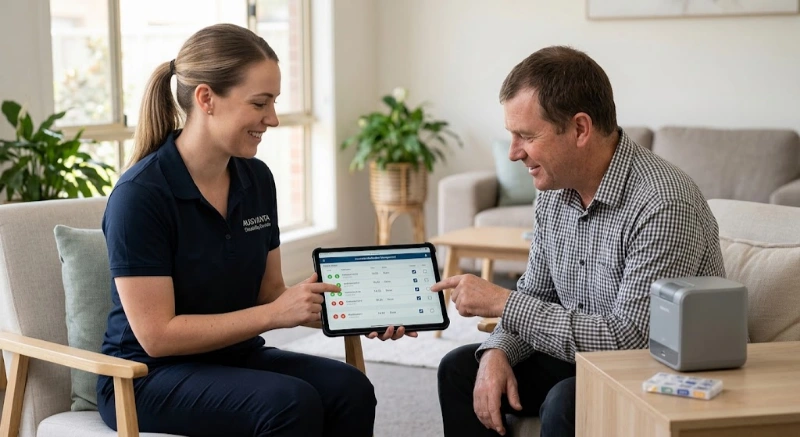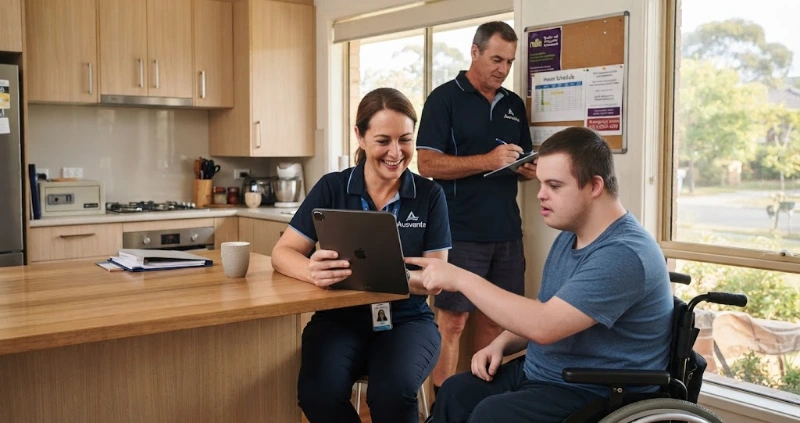
A SIL house never closes. Someone must be on shift at 2 am. Must hand over at 7 am. Someone must know who took which tablet.
That is why NDIS software for SIL in Australia must work differently from general care software. A visit-based tool can book shifts. It often cannot model a shared home.
The stakes rose in 2026. SIL providers now need NDIS Commission registration. They must follow new SIL Practice Standards and use new item codes. Auditors ask for proof, and spreadsheets rarely hold up.
This guide covers nine features that matter. It explains the 2026 changes in plain English. It also gives you a demo script to test any vendor, including us. We are Ausvanta, so we show where our platform fits and where it does not.
Supported independent living (SIL) is NDIS funding for support workers who help or supervise a participant 24 hours a day, seven days a week. Software matters because SIL runs nonstop across shared homes, overnight shifts and several participants. Weak tools push teams back to spreadsheets, paper and group chats.
The NDIS explains that SIL may suit people who need a worker to stay overnight. They also need help with daily activities for at least eight hours. Some help or supervision covers the remaining hours.
SIL funds support workers. It does not pay for rent or groceries. It also differs from specialist disability accommodation (SDA). SDA is the building. SIL is the support inside it.
Providers face extra detail. The NDIS guide for SIL providers describes regular and irregular supports. Irregular supports cover unplanned events, such as a participant being unwell. The NDIA generally funds 10 irregular support days a year for standard needs. It funds 15 for high intensity needs.
SIL also uses two hourly price sets: standard and high intensity. Your software should reflect whichever applies to each participant.
Expert commentary: The house is your unit of work, not the visit. One worker may support two participants at once. Each person has different goals, medication and routines. Your software must keep those records separate, yet visible on the same shift.
When comparing NDIS software for Supported Independent Living (SIL), focus on how each platform handles the day-to-day realities of a shared home. Use this checklist during software demos and trials to compare features, workflows and audit requirements.
| Feature | Priority | What to Test |
|---|---|---|
| House-level rostering | Must have | Can it roster recurring and shared shifts across participants in the same household? |
| Sleepover management | Must have | Can it record sleepover arrangements, waking duties and the time actually worked? |
| GPS attendance | Useful | Does attendance evidence attach clearly to the relevant shift and timesheet? |
| Medication / eMAR | Important | Can workers record doses, refusals, withheld medication and PRN outcomes? |
| Incident management | Must have | Are incident deadlines, notifications, escalation and follow-up actions clearly visible? |
| Worker credentials | Must have | Does the system flag expired screening or credentials before a worker is rostered? |
| Audit exports | Must have | Can you export evidence for a specific house, participant, worker or period without manual assembly? |
| Claims and billing | Must have | Does it support current SIL item codes and validate claim lines against source records? |
How to use this checklist: Ask every NDIS software provider to demonstrate the same scenarios using your own SIL workflow. A platform should not only show that a feature exists; it should show how the feature works when your team is managing a real household, an overnight shift or an audit request.
From 1 July 2026, SIL providers must be registered with the NDIS Commission and meet new SIL Practice Standards. Unregistered providers must lodge an application by 1 October 2026 or stop delivering SIL. SIL claims now use registration group 0138 and new support item numbers.
The changes arrived quickly. This timeline shows each date and what it means for your systems.
| Date | What changed | What it means for your software |
|---|---|---|
| 1 July 2026 | Mandatory registration for SIL providers, under new registration group 0138 | Keep worker, participant and service records ready for registration and audit. |
| 1 July 2026 | New SIL Practice Standards supplementary module applies | Capture evidence for rights, safeguarding, governance and tenancy and support agreements. |
| 1 July 2026 | SIL claiming requirements changed, with 0138 support items for SIL delivered from this date | Check your billing tool applies the right item by date of service. |
| 1 June 2026 onward | SCHADS sleepover rule changes apply from the first full pay period on or after this date | Rosters must show sleepovers and the work around them correctly. |
| 1 July 2026 | 4.75% increase to SCHADS Award minimum rates | Update roster costing and price checks. |
| 1 December 2026 | Initial increase of up to 15% for home care disability employees | Model the cost effect on your rosters before it lands. |
| 1 October 2027 | Most of the new SCHADS classification structure begins | Plan reclassification and pay-point mapping early. |
Penalties are serious. The NDIS Commission warns that delivering SIL on or after 1 July 2026 without registration may breach the NDIS Act. The maximum penalty is two years' imprisonment, a fine of 120 penalty units, or both.
Participants notice too. The NDIA advises participants to ask whether their provider is registered. Those whose provider does not register will need to move to one that is.
Expert commentary: Registration is not a software feature. Yet software shapes how easily you prove you meet the standards. Providers who keep credentials, incidents and shift evidence together can answer audit requests faster. Read the Commission's registration pathways for your exact situation, because rules can change.
Choose NDIS software for SIL by testing it against a real house week. It should roster 24/7 coverage, handle sleepovers, verify attendance, record medication, manage incidents, produce audit evidence and prepare claims. Ask every vendor to demonstrate each step live, using your scenarios rather than a polished demo.
Most vendor pages list features. Few explain how those features map to the 2026 rules. Fewer still show you how to test them. The nine features below do all three.
Score each feature from one to five during your trial. Involve a house supervisor and a support worker. They will spot problems the office team misses.
SIL rostering must cover a house, not a single visit. Look for recurring shifts, day, evening, overnight and sleepover coverage, shared sessions across participants, and clear gap visibility. The software should show who is on, who is missing and which shifts remain unfilled across every household.
Test the basics first. Can you build a recurring series once? Can you see the whole week by house, worker or participant? Can you spot an empty overnight shift in seconds?
Ausvanta's SIL scheduler shows group sessions across the household, workers and assets on one timeline. Ranked worker suggestions help you fill gaps. You make the final call on availability, credentials and fit. Recurring series save re-keying every week, and the roster fill-rate shows where gaps sit. Learn more about rostering and scheduling.
Ask this: "Show me next Tuesday night across all our houses." If the answer takes five clicks, expect daily frustration.
Software should treat a sleepover as its own arrangement, not an ordinary night shift. Under the SCHADS Award, a sleepover includes a continuous eight-hour rest period, an allowance, and extra pay if the worker must get up. Your platform must record these facts accurately so payroll can apply the award.
The Fair Work Ombudsman sets out the rules. A sleepover and the work before or after it count as one continuous shift. The allowance is 4.9% of the standard rate, paid per sleepover. Work rostered before or after a sleepover has a four-hour minimum.
Waking duties add pay. If a worker helps a participant during the night, they are paid for time worked. The minimum is one hour at overtime rates. The Ombudsman's own example shows 30 minutes of night-time help earning one hour at overtime, plus the allowance.
Rules moved in 2026. The Fair Work Commission's sleepover changes apply from the first full pay period on or after 1 June 2026. Employers and employees can now agree ordinary hours of up to 12 per shift around a sleepover. No more than eight ordinary hours can fall in either work period.
Ausvanta captures verified shift times and exports approved timesheets to your payroll process. If sleepover handling is critical for you, ask us to walk through it in a demo.
Ask this: Can a worker record a night-time disturbance? Does the platform calculate award pay, or export approved time to payroll? Both models work. Know which one you are buying.
Verified attendance proves a worker was at the right house at the right time. Look for GPS clock-in, selfie confirmation, a review queue for flagged shifts, and timesheets built from completed shifts. This evidence supports payroll, claims and audits without chasing paper.
In a SIL home, location evidence matters. Shifts run overnight and across weekends. Nobody from the office is watching.
Ausvanta workers clock in with GPS and a quick selfie. The evidence attaches to the shift record. Office staff verify or flag each shift from one queue. Approved time then flows into timesheets ready for payroll. Clock-ins are captured on the device and sync when coverage returns, so patchy reception does not lose data.
Expert commentary: Selfie and GPS checks are not about distrust. They protect honest workers when a shift is questioned. They also protect participants and your organisation. Tell workers what you collect, why you collect it and how you protect it.
A digital medication record logs every dose as given, refused, withheld or deferred, with a time and a worker's name. It replaces paper charts in shared homes. It also shows overdue doses, PRN reviews and storage checks, which clinicians and auditors often ask to see.
Medication support is a core SIL task. The NDIS lists medication management among SIL supports. Errors carry real risk for participants.
Ausvanta's medication queue lists every action due across participants. Tabs show what is due now, upcoming, overdue and PRN eligible. Workers record each outcome at the time. Storage checks, disposal logs and an eMAR audit keep the history.
Workers also see current medication, mealtime and emergency plans in the app. They acknowledge the latest version before they deliver support.
Expert commentary: Software records actions. Your clinical policies decide who may administer medication and how to escalate a refusal. Keep those policies current and easy to find.
Incident software should capture what happened, classify severity, and track NDIS Commission deadlines. Registered providers must notify most reportable incidents within 24 hours of becoming aware, with a fuller form within five business days. Software supports the process, but your team decides what is reportable.
The NDIS Commission requires registered providers to notify it of all reportable incidents. Missing the timeframes can lead to an infringement notice or other compliance action. Some categories, such as certain unauthorised restrictive practices, have different windows. Check the Commission's guidance for each case.
Ausvanta's incident triage classifies each incident by type and severity. A live clock runs from the moment your organisation became aware. Nothing is submitted automatically. The reportability decision and the report stay with your organisation. Workers can start a report from their phone. Read more about incident management.
Ask this: Log an incident at 11 pm from a phone. Where does the deadline appear? Who gets alerted?
Audit-ready software keeps evidence as work happens. It should track worker screening and credentials, log every change, store policy acknowledgements, support restrictive-practice oversight, and export an audit pack. That helps you meet the SIL Practice Standards and answer the NDIS Commission quickly.
The Commission's SIL Practice Standards apply from 1 July 2026. Sector guidance describes the module around supported decision-making, safeguarding, practice governance, and tenancy, housing and support agreements. Read the module itself. Then map each area to the records you keep.
Software cannot deliver those standards. It can hold the evidence. Look for credential tracking, a full audit trail, policy sign-offs and exportable packs.
Ausvanta's compliance and audit tools track each worker's credentials as valid, expiring, expired or missing. NDIS Worker Screening must be recorded before a worker is shift-ready. Selfie and GPS evidence flags shifts at risk of failing an audit. A governance dashboard, restrictive-practice oversight with a monthly regulated export, and audit packs sit alongside.
Expert commentary: No software makes a provider compliant. Ausvanta says the same on its own compliance page. Use software to keep proof organised. Use your people to run safe services.
SIL billing software should prepare claims from approved shifts, validate support items and show funding use. Since 1 July 2026, SIL claiming uses registration group 0138 and new item numbers, while earlier delivery keeps the 0115 items. Check that your tool applies the right items by service date.
The NDIS says claiming requirements changed on 1 July 2026. Confirm item numbers against the NDIS pricing schedule. Sector guidance shows 0138 prefixes replacing 0115 for SIL delivered from that date.
A roster of care can help. The NDIS says it is not a requirement, and providers need not submit it. It is still a useful way to agree weekly supports with participants. Your billing should match what you agreed.
Ausvanta validates claim lines against their source evidence. You fix failures, re-validate and export batches for lodgement. Tax invoices show ageing in 30-day bands. A funding dashboard shows utilisation and monthly burn rate.
Be clear on limits. Ausvanta has no PRODA, myID or PACE connection yet. You lodge exported batches through your usual NDIA process. Automated payment reconciliation is still in development. A Xero integration is available on request.
The worker app is where SIL records begin. It should show today's shifts, clock in with GPS, display current support plans, capture incidents and cope with weak reception. If workers avoid it, your records will fail, no matter how good the office system looks.
Ausvanta's worker mobile app covers shift offers, GPS and selfie clock-in, plan acknowledgements, incident reporting and availability. Credential-expiry notifications reach workers before compliance is at risk. Workers see the clinical and safety context they need, not plan budgets or funding details.
One caution. The Android app is in beta on Google Play, and iOS is coming soon. Check which devices your team uses before you commit.
Ask this: Hand a phone to a casual worker with no training. Can they clock in and find the medication plan within two minutes?
SIL data is sensitive. Ask where the platform stores data, who can see what, how changes are logged and what support you receive. Then check the pricing model. Fees per user can add up in 24/7 teams with large casual pools, while per-participant pricing scales differently.
Ausvanta hosts data in AWS's Sydney region. It uses role-based access, encryption and an audited change history. Pricing follows active participants. Every core feature is on every tier, with unlimited users. Support is by email, backed by written guides and FAQs.
Ask every vendor the same questions. Where is data stored? How do you log access? What happens to our records if we leave? Get the answers in writing.
Run a scripted trial using one real house. Roster a weekend sleepover, record a night-time call-out, fill a sick-leave gap, log an incident, record a refused dose and export an audit pack. Score each step. Vendors who welcome the script usually welcome scrutiny in general.
| Scenario | Ask the vendor to show | A pass looks like |
|---|---|---|
| Weekend sleepover with two night-time call-outs | Roster it, record the disturbances, export the time | Shift type and worked time appear correctly in the export. |
| Sick call at 5 pm for tonight's shift | Find and offer the shift | Credential-checked suggestions appear quickly. |
| A worker's screening has expired | Try to roster that worker | A clear warning appears and the audit log records it. |
| A participant refuses a dose | Record the refusal and escalate | The refusal shows in the queue and the eMAR audit. |
| Reportable incident at 11 pm | Triage it and show the deadline | Awareness time is recorded and the clock is visible. |
| Auditor asks for one house's evidence | Export an audit pack | The pack builds without manual assembly. |
| Claim batch with 0138 items | Validate lines and batch them | Failed lines show reasons and can be fixed. |
Switch one house at a time. Clean your participant, plan and credential data first. Trial the new system beside your old process for one pay cycle. Roll out to other houses once supervisors and workers feel confident. Never switch during a registration or audit crunch.
This is a recommended approach, not a regulatory requirement.
The most common mistakes are choosing on price alone, accepting a tidy weekday demo, ignoring payroll fit, forgetting frontline workers, and treating software as compliance. Each one surfaces later as rework, pay errors or audit stress. Avoiding them costs little now.
Ausvanta gives SIL providers a household scheduler, GPS and selfie-verified attendance, medication records, incident triage, audit packs and claim exports on one platform. It suits providers who want evidence captured as work happens. It does not lodge claims with the NDIA directly or replace your compliance decisions.
Every core feature sits on every plan, with unlimited users. That includes SIL, medication, compliance and claims. Pricing follows active participants.
We also want you to know where we are still growing:
SIL runs 24/7, and your software should keep up. Start with the nine features above. Build a test script from your own houses. Score every vendor the same way.
If you would like to see how Ausvanta handles a SIL week, you can start a free 14-day trial with your own data. Prefer a guided look? Book a walkthrough and bring your toughest roster.
The best option is the one that passes your own house test. Look for 24/7 house rostering, sleepover handling, verified attendance, medication records, incident tracking, audit evidence and claim preparation. Run a trial with a real weekly roster before you commit, and involve frontline workers in the scoring.
Yes. From 1 July 2026, SIL providers must be registered with the NDIS Commission. Unregistered providers who deliver SIL must lodge a registration application by 1 October 2026 or stop delivering SIL. Delivering SIL without registration may breach the NDIS Act. Check the Commission's transition pathways for your situation.
Registration group 0138 is the NDIS Commission's new class of support, called Assistance with Supported Independent Living. It applies from 1 July 2026. Registered SIL providers hold it on their certificate, and sector guidance shows SIL delivered from that date uses matching 0138 item numbers in the pricing schedule.
Sometimes, but test carefully. Many tools suit visit-based supports. SIL needs house-level rosters, sleepovers, shared shifts, daily records, medication tracking and audit evidence. Ask any vendor to show a full SIL week, including overnight coverage and handover, before you assume a general tool will cope.
It should record the sleepover as a distinct arrangement, capture any night-time work, and export accurate times for payroll. Under the SCHADS Award, a sleepover includes an allowance and extra pay for time worked. Confirm whether the platform calculates award pay or passes approved timesheets to your payroll system.
Keep shift and attendance evidence, worker credentials and screening, medication records, incident reports, restrictive-practice documentation, support plans, policy acknowledgements and a change history. Records should show who did what, and when. You should be able to export them for one house or one participant on request.
Registered providers must submit an immediate notification for most reportable incidents within 24 hours of becoming aware. A follow-up form is due within five business days. Some categories, such as certain unauthorised restrictive practices, have different timeframes. Check the NDIS Commission's guidance and set tighter internal deadlines.
No. The NDIS says a roster of care is not a requirement, and providers do not need to submit it. It remains a useful tool for breaking down weekly supports and agreeing how they will be delivered and claimed with each participant. The NDIS offers a free template.
It depends on the platform. Some connect directly to NDIA systems. Others prepare and export claim batches for you to lodge. Ausvanta validates claim lines and exports batches, but it has no PRODA, myID or PACE connection yet. Ask each vendor exactly how lodgement works.
Costs vary by vendor and pricing model. Some charge per user, some per participant, and some by feature tier. Ask for the full price for your real headcount, including casual workers. Ausvanta prices by active participants, with unlimited users. Its trial is free for 14 days.
Disclaimer: Some state-based requirements, figures and policies may differ and change over time. NDIS rules, registration requirements, pricing and SCHADS Award rates are updated regularly. This article is general information only. It is not legal, industrial relations or financial advice. Always check the NDIS, the NDIS Quality and Safeguards Commission and the Fair Work Ombudsman for current details.
Start your free 14-day trial — unlimited users, no credit card required.