Key Takeaways
A missed dose, a vague PRN entry or a chart nobody can read at 2 am is the kind of gap that turns into an incident. Digital records promise to close it. However, products differ widely, and a long feature list does not tell you which ones keep participants safe.
This guide explains what NDIS medication management software should do, what the Practice Standards expect from your records, and how to compare options before you buy. You can see one example in Ausvanta's medication and eMAR tools. Use the checklist below to judge any product, ours included.
NDIS medication management software is a digital system for recording and reviewing medication support: what is due, when it was given, refused or missed, and who recorded it. Most products work as an electronic medication administration record (eMAR). They support your policy, but clinical decisions stay with prescribers and pharmacists.
Providers usually choose between three setups: paper charts, a standalone eMAR, or a medication module inside a wider NDIS platform. Each has trade-offs, covered below. Whichever you choose, state and territory rules on who may administer medication still apply, so software cannot settle that question for you.
The NDIS Practice Standards require records that clearly identify the medication and dosage each participant needs, including the information required to identify the participant and administer the medication safely. Providers must also record incidents that have, or could have, caused harm. We found no rule requiring electronic records.
The Management of medication standard sits in the Core module on the provision of supports environment. Its record indicator is the one software can support most directly. Two related requirements also matter.
Look for clear administration outcomes, overdue and missed-dose visibility, PRN tracking, access to current plans in the field, storage and disposal records, an audit trail, role-based access, and links to incidents and behaviour support. Then ask each vendor how the feature actually works.
| Feature | Why it matters | Ask the vendor |
| Outcome recording | Shows what happened: given, refused, withheld or deferred | Can workers record a reason? Is the time stamped automatically? |
| Overdue visibility | Missed doses surface before the next shift | How are overdue items flagged and who sees them? |
| PRN handling | PRN needs a reason and a follow-up review | Is there a PRN review step? Can I report on PRN use? |
| Plans in the field | Workers need current medication and emergency plans on shift | Does it work offline? Do workers confirm the current version? |
| Storage and disposal | Supports safe storage and an auditable trail | Are checks and disposal logs recorded in the same system? |
| Audit trail and reports | Proves who recorded what, and when | Can I export a participant's history for an auditor? |
| Access control | Limits who can view or change records | Are permissions role-based? Are logins individual? |
| Links to incidents and behaviour support | Connects errors and behaviour-related medication to your safeguards | Can I raise an incident from a medication event? |
| Integration | Reduces re-keying from pharmacy or dose-pack data | What integrations exist in Australia, if any? |
Paper is cheap and familiar but hard to audit. A standalone eMAR goes deep on medication workflows but sits apart from rosters and incidents. A medication module in a wider NDIS platform links medication to shifts, plans and incidents, though depth varies by product.
| Option | Strengths | Watch-outs |
| Paper MAR charts | Low cost, no training on software | Illegible entries, missed signatures, slow audit, charts away from the participant |
| Standalone eMAR | Medication-specific depth, possible pharmacy connections | Separate login, double entry with rosters and incidents |
| Module in an NDIS platform | One record linking shifts, plans, incidents and medication | Check depth of features against your policy |
Overseas eMAR guides often highlight barcode checks and pharmacy integration. Those features can help. However, they are not available everywhere, so ask each vendor what works in Australia.
PRN medication is given as needed, so its records need a reason and a review. If a medication is used for the primary purpose of influencing behaviour, it can be a chemical restraint, which is a regulated restrictive practice with its own authorisation and reporting rules.
The NDIS Commission's restrictive practice sub-type definitions (August 2026) say the key test is the primary purpose of the medication, and that chemical restraint is recorded by medication name. Software cannot decide a medication's purpose. It can keep the record, the behaviour support plan and the incident trail in one place, so reviewers see the whole picture.
Map your medication policy first, then trial each shortlisted product with real scenarios: a due dose, a refusal, a missed dose, a PRN, a plan change and an audit request. Judge each against your policy, not the feature list.
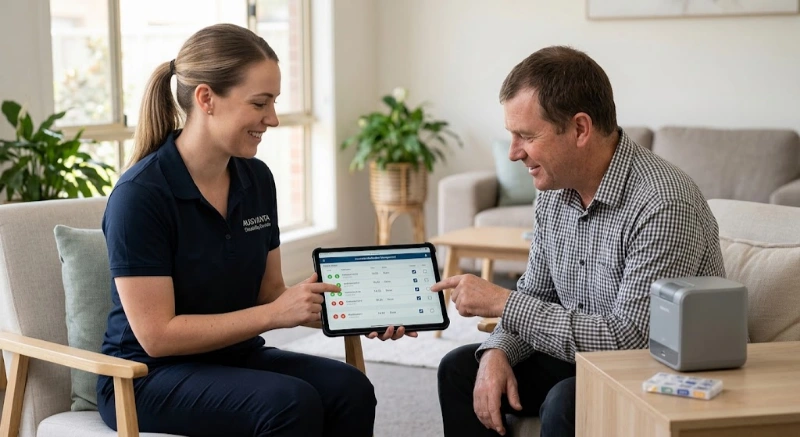
Ausvanta's medication tools give you one queue across participants, with tabs for due now, upcoming, overdue, PRN eligible, completed today and PRN reviews. Workers record the outcome as administered, refused, withheld or deferred to clinical review. Overdue items are flagged, and refusals, missed doses and PRN reviews surface for follow-up. Storage checks, disposal logs, eMAR reports and an eMAR audit keep the history.
Each participant profile carries Medications, Clinical, Behaviour Support Plan and Restrictive Practices tabs. The worker mobile app shows medication, mealtime and emergency plans, and workers acknowledge the current version before delivering support. You can raise incidents in the same platform. Every core feature is included on each plan, with unlimited users. See pricing.
Be clear about the limits. Recording follows your medication policy, and refusals and missed doses should go through your clinical procedures. Ask any vendor, including us, about pharmacy or dose-pack integration, and confirm the detail in a demo. For households, see SIL and group supports and our guide to NDIS software for SIL providers. Clean medication records also help your audit preparation.
Want to test it with your own scenarios? Book a demo, start a free 14-day trial or contact us.
1. What is NDIS medication management software?
It is a digital system for recording and reviewing medication support: what is due, what was given, refused or missed, and who recorded it. Most products work as an electronic medication administration record (eMAR).
2. What do the NDIS Practice Standards say about medication records?
The Management of medication standard expects records that clearly identify the medication and dosage each participant needs, with the information required to identify them and administer the medication safely.
3. Is electronic medication recording mandatory in the NDIS?
We found no rule requiring electronic records. Providers must still keep clear, accurate medication records, and electronic systems are one way to do that. Check current NDIS Commission guidance.
4. What features should an eMAR have?
Clear administration outcomes, overdue visibility, PRN tracking and review, access to current plans in the field, storage and disposal records, an audit trail, role-based access and links to incidents.
5. How should PRN medication be recorded?
Record the reason, the dose, the time and who gave it, then complete a follow-up review. Follow your medication policy and the prescriber's instructions.
6. When is medication a chemical restraint?
The NDIS Commission defines chemical restraint as medication used for the primary purpose of influencing a person's behaviour. It is a regulated restrictive practice, so it needs a behaviour support plan and authorisation.
7. Can software replace clinical oversight?
No. Software records and surfaces information. Prescribers, pharmacists and your clinical procedures make the decisions.
8. Should medication software link to incident management?
Yes, where possible. Providers must record incidents that have or could have caused harm, so a wrong or missed dose should be easy to escalate.
9. How do I compare NDIS medication software?
Write down your medication policy, then trial each product with real scenarios: a due dose, a refusal, an overdue dose, a PRN, a plan change and an audit report.
10. Does Ausvanta submit medication data to the NDIS Commission?
Ausvanta's medication tools record administration and keep eMAR reports and an audit. They do not report to the NDIS Commission for you. Reportable incidents are still notified through the NDIS Commission portal.
This article provides general information only and is not clinical, legal or compliance advice. Medication rules, NDIS Practice Standards, restrictive practice requirements and state or territory frameworks change over time and vary by jurisdiction and support type. Always follow prescriber and pharmacist instructions, and confirm current requirements with the NDIS Quality and Safeguards Commission and your state or territory authority before relying on any detail here.
Start your free 14-day trial — unlimited users, no credit card required.