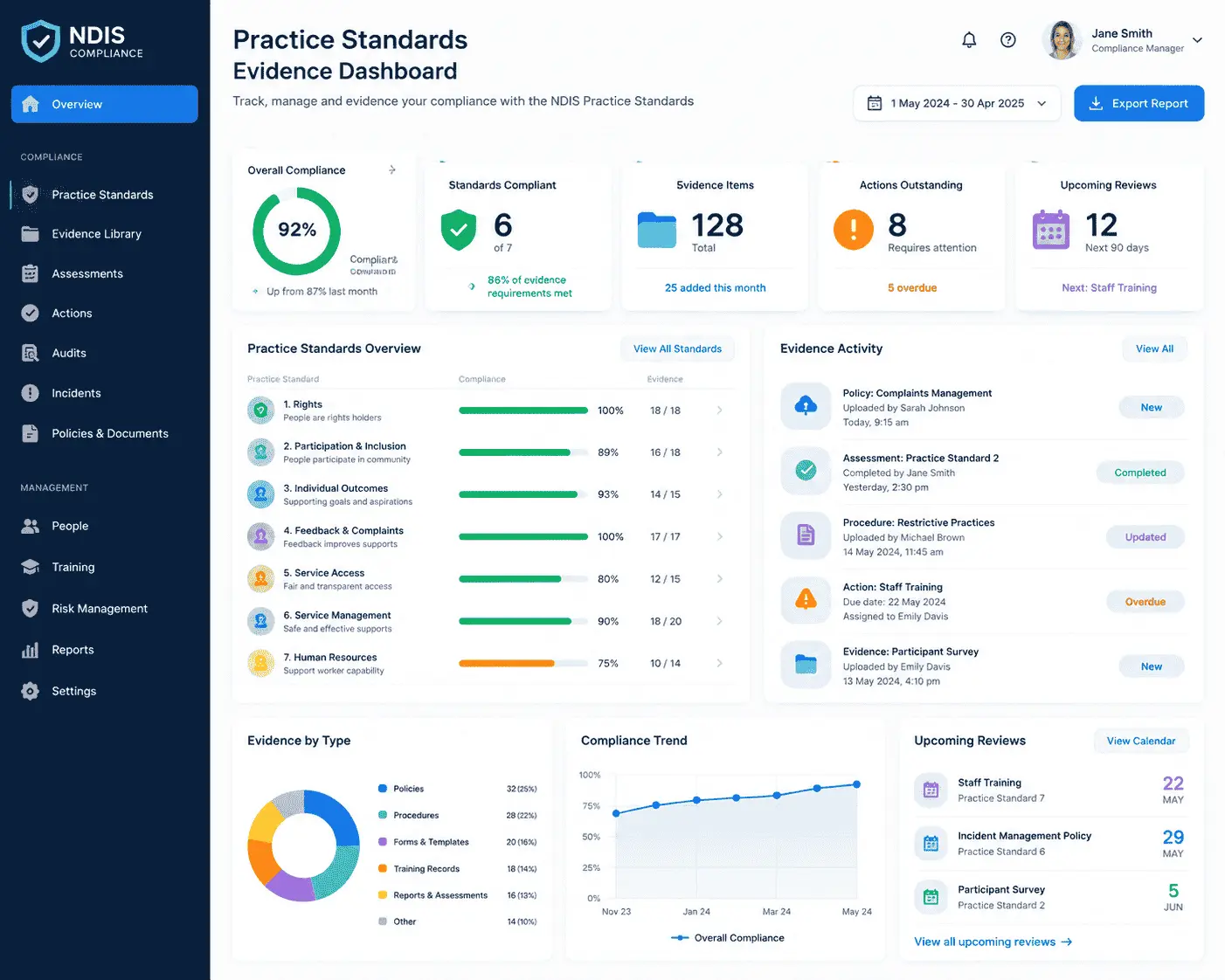
NDIS compliance software is a digital system that helps registered NDIS providers track, evidence and manage their obligations under the NDIS Practice Standards — covering governance, risk, incident management, worker screening, restrictive practices and participant rights — so the organisation is consistently ready for verification and certification audits, not just prepared in the weeks before one.
For most providers, compliance has historically lived across several disconnected places: a policy folder on a shared drive, an incident spreadsheet, a training register in a different spreadsheet, and a risk assessment last touched at registration. Compliance software replaces that patchwork with one system where each Practice Standard has linked, dated evidence — the same evidence an auditor will ask to see.
This is distinct from a full NDIS software for providers platform, which typically covers rostering, case notes, claiming and invoicing as well. Many Australian providers now expect compliance tracking to sit inside that broader system rather than as a standalone tool, since incidents, worker records and service delivery data all feed into the same audit evidence.

The regulatory environment providers operate in has genuinely tightened. The NDIS Quality and Safeguards Commission has been acting on Royal Commission recommendations, national inquiries and its own audit findings, and the practical effect is a shift from documentation-based compliance to outcomes-based evidence — auditors want to see that standards are lived, not just written down.
Three developments make 2026 a turning point for how providers manage compliance:
For a provider still running compliance from spreadsheets, this shift raises the cost of getting it wrong: a missed reportable-incident deadline, an out-of-date behaviour support plan, or a risk register nobody has opened since registration are all now more likely to be caught — and more likely to trigger a compliance response.
The NDIS Practice Standards are organised into a Core Module (applying to every registered provider) and Supplementary Modules (applying to specific registration groups, such as high-intensity supports or specialist behaviour support). From a systems perspective, they map onto a handful of operational pillars that any serious compliance platform needs to address.
| Compliance pillar | What auditors look for | What software should track |
|---|---|---|
| Governance and operational management | Clear leadership oversight, sustainable financial structures, documented decision-making | Policy register, review dates, org chart, financial controls sign-off |
| Risk management | An active, regularly reviewed risk register covering operational, participant and compliance risk | Risk register with owners, review cycles and linked mitigation actions |
| Incident management | Timely reporting, root-cause analysis, evidence of systemic improvement | Incident log with reportable/non-reportable flag, notification timestamps, investigation notes |
| Workforce | Worker screening, induction, training currency, supervision | Training register with expiry alerts, screening check status, supervision records |
| Restrictive practices | Authorisation records, behaviour support plan currency, monthly Commission reporting | Plan review reminders, authorisation documents, reporting log |
| Participant rights and consent | Documented, informed consent; privacy and information-sharing records | Consent records linked to each participant file |

Not every feature matters equally. The following are the ones that most directly reduce audit risk, based on where providers commonly lose points during verification and certification audits.

Spreadsheets and shared drives aren't inherently non-compliant — the Commission doesn't mandate specific software — but they create risk that scales with organisation size and participant numbers.
| Features | Spreadsheets / shared drives | Dedicated compliance software |
|---|---|---|
| Reportable incident deadlines | Manual tracking; easy to miss the 24-hour window | Automated prompts tied to notification timeframes |
| Evidence at audit time | Reconstructed manually across files and folders | Available on demand, mapped to each standard |
| Training and screening currency | Tracked in a separate register, often out of date | Expiry alerts before lapses occur |
| Multi-site or multi-worker visibility | Limited; depends on manual updates | Real-time, centralised view |
| Cost | Low direct cost, higher labour and risk cost | Subscription cost, lower audit-preparation labour |
The trade-off is rarely about whether spreadsheets “work” — they can, for very small, low-risk operations. It's about whether the labour and risk of manual reconstruction is worth avoiding as participant numbers, staff numbers, or registration groups grow.
Incident management is one of the most heavily scrutinised areas of provider compliance, and one of the easiest to get procedurally wrong under time pressure. Under the NDIS (Incident Management and Reportable Incidents) Rules 2018, most reportable incidents must be notified to the Commission within 24 hours of key personnel becoming aware of them; unauthorised use of a restrictive practice has a 5-day window. Providers must also maintain records of non-reportable incidents, since the Commission expects a system that manages all incidents, not only the ones that must be escalated.
Compliance software supports this in three practical ways:
Providers reviewing their broader incident and rostering processes may also find it useful to look at common NDIS rostering mistakes, since scheduling gaps and incident patterns are often connected.
Registered providers are audited against the Practice Standards through one of two audit types, depending on the supports they deliver and their registration group: a verification audit (lower-risk, lower-intensity supports, largely desktop-based) or a certification audit (higher-risk or higher-intensity supports, including a site visit and a broader evidence review). Both initial registration and renewal audits assess the same underlying standards; the difference is depth and method.
What changes the audit experience most is not the standards themselves but how readily the evidence can be produced. A provider with compliance software can typically pull dated, linked evidence for a specific standard in minutes. A provider without one is often reconstructing timelines from memory, email threads and multiple spreadsheets — a process that increases both the time-to-evidence and the risk of gaps the auditor notices before the provider does.
Providers preparing for their first audit as part of registration may also want to review the full step-by-step guide to becoming an NDIS provider, which covers the registration groups and audit pathway in more detail.
Three regulatory shifts are directly relevant to how providers should think about compliance systems this year.
Supported Independent Living providers and platform providers must now register with the NDIS Commission, following confirmation from the NDIS Minister in December 2025. This brings a large number of previously unregistered organisations under the full Practice Standards framework, including audit obligations, for the first time.
Alongside registration, new SIL-specific Practice Standards apply from 1 July 2026, developed with participant input through a co-design process. These standards address shared living and in-home support settings that the Core Module doesn't fully cover, and all SIL audits from that date — initial, mid-term and renewal — assess against them.
Beyond the specific rule changes, the Commission's broader posture has shifted toward demonstrated outcomes: can a provider show the impact of its supports, not just describe its processes. That raises the practical value of a system that keeps evidence current by default, rather than one populated in a rush before an audit date.
Pricing varies by provider size, participant numbers and whether compliance tracking is bundled with rostering, claiming and invoicing in a broader platform. As a general pattern, smaller providers with limited participant numbers pay less for entry-level plans, while mid-market and enterprise providers pay more for unlimited participants, custom integrations and dedicated account support.
Because the right tier depends on participant numbers and registration group, it's usually more useful to run the specifics through a cost calculator or compare current pricing plans directly than to rely on a single average figure.
NDIS compliance in 2026 asks for more than a policy folder and good intentions — it asks for evidence that's current, linked to the right standard, and ready before an audit date is ever confirmed. Whether that evidence lives in a dedicated compliance module or as part of a broader NDIS software for providers platform, the underlying test is the same: could you produce it today, not in six weeks.
If your current process still depends on spreadsheets and shared drives, it may be worth seeing how a connected system handles rostering, incidents and compliance evidence together — you can explore Ausvanta's features or get in touch with questions specific to your registration group.
For a step-by-step walkthrough of recording, escalating and following up incidents, see the Ausvanta incident management guide.
Start your free 14-day trial — unlimited users, no credit card required.