When you start an NDIS provider business, spreadsheets often make sense. They are familiar, affordable and easy to customise.
You might use Excel or Google Sheets to manage participants, staff availability, service schedules and invoices.
However, things change as your organisation grows.
More participants mean more records. More workers mean more shifts, timesheets and staff documents. Coordinators also need accurate information when handling changes or reviewing service delivery.
Soon, your team may spend more time managing information than managing services.
This is where dedicated NDIS claims and billing software and connected provider management systems become worth considering.
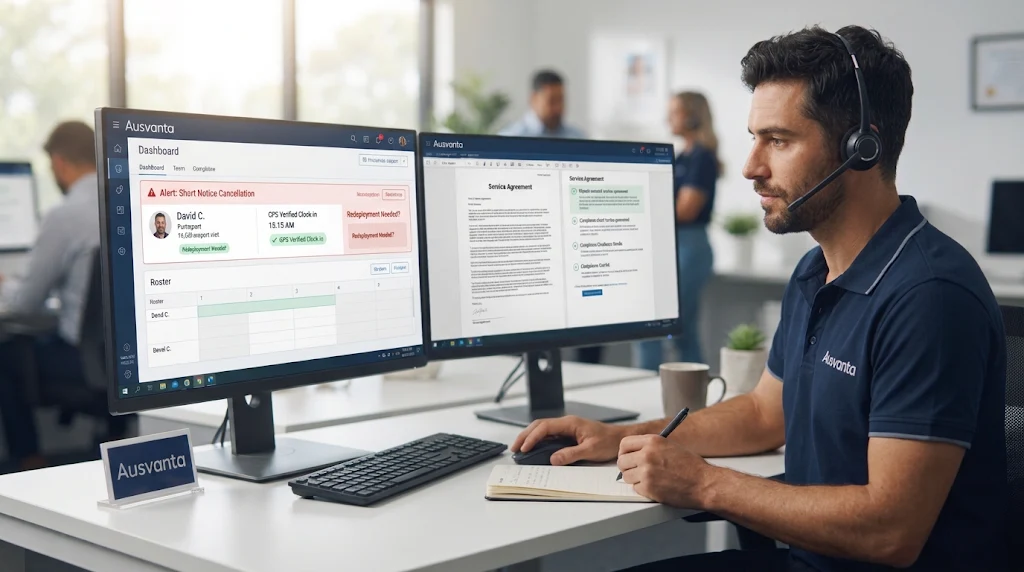
Ausvanta brings key provider workflows into one platform, including rostering, GPS time tracking, participant records, incidents and claims preparation.
But does every provider need to replace spreadsheets?
No. The decision depends on your organisation's size, service model and administrative workload.
Let's examine the differences and identify when switching makes business sense.
NDIS software is designed to help disability service providers manage operational workflows. Spreadsheets are general-purpose tools that require providers to create and maintain their own processes.
Both can store information. However, they differ in how they connect daily operations.
| Business activity | Spreadsheets | Dedicated NDIS software |
| Participant records | Manually maintained rows and files | Centralised participant profiles |
| Staff scheduling | Manual shift allocation | Dedicated rostering and scheduling |
| Timesheets | Manual entry and checking | Connected shift and timesheet workflows |
| Case notes | Separate documents or sheets | Structured digital records |
| Claims preparation | Manual calculations and checks | Claim validation and batch preparation |
| Incident records | Separate forms and registers | Structured incident workflows |
| Reporting | Manual formulas and updates | Operational dashboards and reports |
| Staff access | Shared files and permissions | Role-based user access |
The main difference is workflow integration.
With spreadsheets, someone usually needs to move information between files. Dedicated software can connect relevant activities and reduce repeated data entry.
However, software does not automatically guarantee compliance. Providers still need correct processes, accurate information and appropriate staff oversight.
There is no fixed participant number at which every provider should switch. A small provider can have complex operations, while a larger organisation may still have relatively simple workflows.
Look for these seven warning signs.
Do your coordinators keep separate spreadsheets for participant details, support plans, service agreements and funding information?
This creates a common problem: different team members may work from different versions.
For example, a participant changes their service requirements. Someone updates the main spreadsheet, but another team member still uses an older file.
This can lead to incorrect scheduling or outdated information.
A central participant management system helps keep relevant information together. Staff can access the latest records according to their assigned permissions.
Rostering becomes complicated when you manage multiple support workers and participants.
Coordinators must consider:
A spreadsheet can display a roster. However, it cannot necessarily coordinate every change or notify workers automatically.
Dedicated NDIS rostering and scheduling software can simplify recurring shifts, worker allocation and schedule updates.
For growing teams, this can reduce the administrative effort involved in filling shifts.
Are support workers submitting paper timesheets or sending their hours through messages?
Someone then needs to compare those hours against scheduled services.
This process can create problems:
GPS-supported time tracking can provide an additional record of shift attendance.
Explore NDIS time tracking and GPS software to understand how digital shift verification works.
Remember, GPS information alone does not prove that a support was delivered correctly. Providers still need appropriate records and approval processes.
Claims and billing deserve particular attention.
A provider may record a completed shift in one spreadsheet, calculate hours in another and prepare an invoice separately.
Every transfer creates another opportunity for mistakes.
The NDIA requires accurate payment requests and supporting information. Relevant records include participant details, dates of support, support item references and prices.
Dedicated software can connect approved service information with billing workflows.
However, check exactly what the software does. Some systems prepare claim batches, while others offer direct integrations or submission functionality.
For example, Ausvanta provides a claim review queue to validate, correct, batch and export claim lines. It does not currently lodge claims directly with the NDIA.
A spreadsheet may contain useful information, but it does not automatically organise every supporting document.
Your team may need to locate:
The NDIA identifies invoices, support logs, rosters, case notes and service agreements among the records providers need to maintain.
It also explains that incomplete records can create problems during payment reviews.
Registered providers must also meet applicable NDIS Practice Standards.
Digital record management can make information easier to organise and retrieve. However, using software does not automatically make an organisation audit-ready.
See this NDIS audit preparation checklist for further guidance.
Consider a support worker who needs their latest shift details.
If the roster exists only in an office spreadsheet, they may need to contact a coordinator.
The same problem can affect managers who need current operational information while away from the office.
Disconnected systems also create communication gaps.
A provider management platform with appropriate mobile access can help staff view assigned shifts and submit relevant information.
Before choosing software, check which mobile features are actually available and which devices they support.
Perhaps your organisation has more participants than last year.
You have also hired additional support workers and expanded your service locations.
But your administrative processes have not changed.
Instead, you keep adding spreadsheets, formulas and manual checks.
At this stage, the issue is no longer just spreadsheet management. It is the amount of coordination required to operate your organisation.
Software may help standardise repeatable tasks and give managers better operational visibility.
For smaller organisations, this decision is particularly important. Read our guide to NDIS software for small providers before choosing a system.
You do not need to wait until something goes wrong.
A better approach is to measure how well your current processes work.
Use this simple assessment:
| Question | What it tells you |
| Do you maintain several versions of participant records? | Information control |
| Do coordinators spend significant time updating rosters? | Scheduling efficiency |
| Are timesheets regularly corrected? | Workforce administration |
| Is billing information entered more than once? | Financial workflow |
| Does finding audit evidence take too long? | Record management |
| Are staff relying on messages for shift updates? | Communication |
| Is growth increasing administrative workload? | Scalability |
If several answers are yes, review your current system.
There is no universal score or mandatory switching threshold. The purpose is to identify recurring operational problems.
A useful rule: Switch when the cost, risk and administrative effort of maintaining your manual processes outweigh the cost and effort of adopting suitable software.
Spreadsheets may appear free, but maintaining them requires staff time.
Consider a simple example.
An administrator spends 30 minutes each working day updating rosters, checking records and transferring information.
Over 20 working days, that equals 10 hours of administrative work.
Use this formula:
Monthly administration cost = Hours spent × Hourly staff cost
For example:
| Item | Example |
| Daily administration | 30 minutes |
| Working days | 20 |
| Monthly hours | 10 |
| Illustrative hourly cost | A$35 |
| Monthly administration cost | A$350 |
This is an illustrative calculation, not an industry average.
Now compare that amount with the cost of suitable software.
Also consider onboarding, training, data migration and ongoing support.
The goal is not to eliminate every spreadsheet. It is to understand whether your current system is consuming resources that could be used more effectively.
Not every platform offers the same functionality.
Before purchasing, evaluate the features that match your service model.
Look for centralised profiles, service agreements, participant information and document storage.
Check recurring shifts, worker availability, allocation processes and schedule notifications.
Review clock-in and clock-out functionality, GPS verification, timesheet creation and approval workflows.
Check claim validation, invoicing, export options and accounting integrations.
Do not assume every platform connects directly to the NDIA.
Look for structured incident documentation, review workflows, credential tracking and audit trails.
Managers should be able to understand workforce activity, service delivery and operational performance.
Ask where information is hosted, how access is controlled, how backups work and how you can export your data.
Also ask what happens when you leave the provider.
Changing systems does not need to happen overnight.
A planned transition can help protect service continuity.
Follow these steps.
Step 1: Audit your existing spreadsheets
List every file used for participants, workers, rosters, timesheets, incidents and billing.
Identify duplicate, outdated and incomplete records.
Step 2: Identify what needs to move
Not every historical spreadsheet needs to be imported.
Separate active records from archived information. Check retention requirements before deleting anything.
Step 3: Compare software against your actual workflows
Request a demonstration.
Ask the provider to show how your organisation would manage a real shift, approve a timesheet and prepare a claim.
Step 4: Plan data migration
Confirm which information can be imported.
Check participant records, worker details, documents and service information after migration.
Our guide to NDIS software data migration explains the process in more detail.
Step 5: Train your team
Administrators, coordinators and support workers may need different training.
Explain the new processes before making the change.
Step 6: Test before going live
Test a small group of workflows.
Check rosters, timesheets, records, permissions and billing exports.
Resolve problems before moving the entire organisation.
Step 7: Review the results
Compare administrative time, errors and record retrieval before and after implementation.
This helps determine whether the new system is delivering practical value.
When spreadsheets start creating administrative pressure, providers may benefit from a platform designed around their operational needs.
Ausvanta is NDIS software for Australian providers.
It brings key operational workflows into one platform.
These include:
Ausvanta is hosted on AWS infrastructure in Sydney. Its plans are based on active participants rather than individual user seats.
Current advertised pricing starts at A$149 per month for up to 20 active participants, with unlimited users.
A 14-day free trial is also available without a credit card.
Importantly, Ausvanta does not currently submit claims directly to the NDIA or connect to PRODA/PACE. Its claims functionality prepares and exports batches for providers to lodge through their usual process.
Feature availability can depend on the current product release and implementation scope.
You can explore Ausvanta's NDIS provider software or review its claims and billing features to see whether they suit your organisation.
Spreadsheets are not automatically bad for NDIS providers.
They can remain useful for small teams and simple administrative tasks.
However, disconnected files, repeated data entry, rostering problems and difficult record retrieval can become costly as an organisation grows.
The right time to switch is when manual processes start affecting efficiency, information accuracy and operational control.
Start by reviewing your current workflows. Identify the biggest administrative problems, compare suitable software and plan your transition carefully.
If you want to see how a connected system works, book an Ausvanta walkthrough or start a 14-day free trial.
Disclaimer: NDIS rules, government guidance, pricing and software features may change over time. Requirements can also differ according to provider registration, support category and individual circumstances. Always check the latest official guidance and confirm current software functionality before making operational decisions.
Yes. Providers can use spreadsheets to manage business information. However, they must maintain accurate records and meet applicable NDIS requirements.
Consider switching when manual administration, repeated data entry, scheduling errors or record retrieval become difficult to manage.
It depends on your organisation. Software can connect workflows, while spreadsheets offer flexibility for simple administrative tasks.
Not necessarily. However, small providers with multiple workers, participants or service types may benefit from dedicated software.
Yes. Many platforms provide participant profiles, service information, support notes and document management.
Many platforms support recurring shifts, worker allocation and notifications. The available automation differs between providers.
No. Software can support documentation, record management and operational processes. Providers remain responsible for meeting their obligations.
Start by auditing your spreadsheets, cleaning records, selecting relevant data and checking the migration process with your software provider.
Pricing varies by platform. Some charge per user, others per participant, and some offer customised plans. Compare the total cost before purchasing.
Yes. Ausvanta offers a 14-day free trial without a credit card. The trial includes its available features and unlimited users.
Start your free 14-day trial — unlimited users, no credit card required.